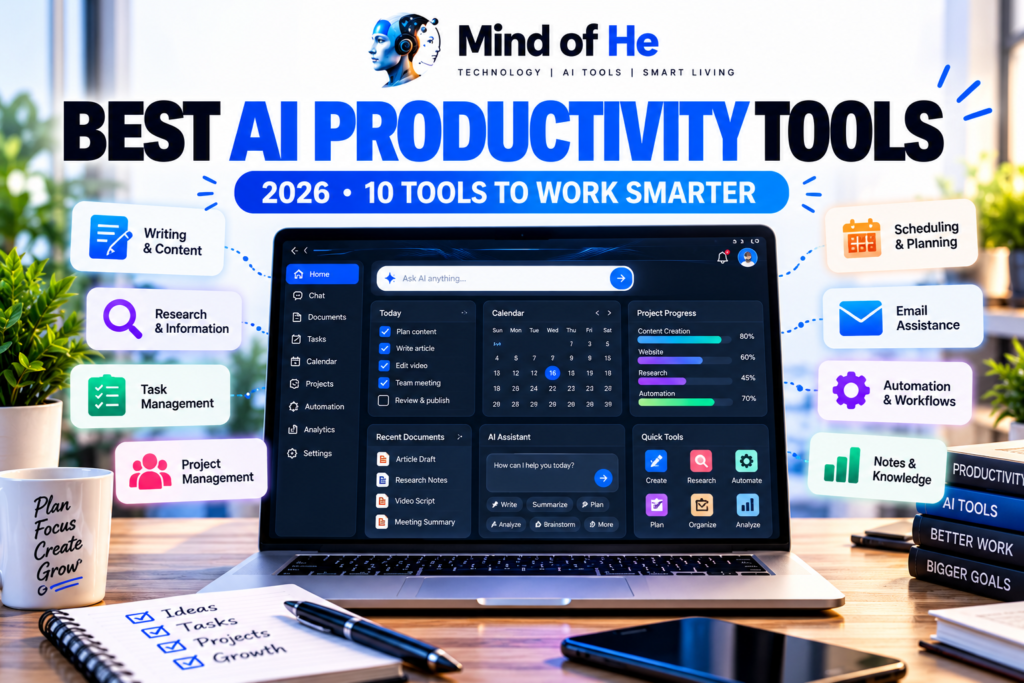
Best AI Productivity Tools in 2026: 10 Tools to Work Smarter
AI is changing the way people work.
Instead of using AI only for answering questions, you can now use it to research topics, write documents, organize information, automate repetitive tasks, manage projects, summarize meetings, and plan your day.
But with hundreds of AI tools available, choosing the right one can be difficult.
That’s why we put together this list of the best AI productivity tools in 2026, focusing on what each tool is actually useful for.
Whether you’re a freelancer, student, creator, business owner, remote worker, or someone who simply wants to get more done, these tools can help you save time and reduce repetitive work.
Table of Contents
Quick comparison
| AI Tool | Best For | Difficulty |
|---|---|---|
| ChatGPT | Overall productivity | Easy |
| Claude | Writing and analysis | Easy |
| Google Gemini | Google Workspace users | Easy |
| Microsoft 365 Copilot | Microsoft users | Easy |
| Notion AI | Notes and knowledge management | Easy |
| ClickUp | Project management | Intermediate |
| Perplexity | Research | Easy |
| Grammarly | Writing and communication | Easy |
| Zapier | Automation | Intermediate |
| Motion | Scheduling and task planning | Easy |
1. ChatGPT — Best Overall AI Productivity Tool
ChatGPT is one of the most versatile AI productivity tools available.
You can use it for brainstorming, writing, rewriting, summarizing, research, planning, coding, data analysis, and many other everyday tasks.
OpenAI’s current documentation describes ChatGPT as capable of working with text, images, files, audio and data, while its research tools can gather and synthesize information from multiple sources. OpenAI
What can you use ChatGPT for?
- Writing emails
- Creating blog outlines
- Summarizing documents
- Brainstorming ideas
- Researching topics
- Creating spreadsheets and analysis
- Explaining complicated subjects
- Creating content
- Planning projects
- Generating and reviewing code
One of the biggest advantages is flexibility.
Instead of using a separate tool for every small task, you can use one AI assistant for many different workflows.
Best for
Overall productivity and everyday AI assistance.
Our verdict: ★★★★★
2. Claude — Best for Writing and Analysis
Claude is an AI assistant from Anthropic that is particularly useful for people who work with large amounts of text and information.
It’s useful for writing, summarizing, analyzing documents, brainstorming and knowledge work.
Anthropic continues to develop Claude for complex knowledge-work tasks, with its current model lineup focused heavily on reasoning, coding and professional workflows. Anthropic
What can Claude help with?
- Long-form writing
- Document analysis
- Summarization
- Brainstorming
- Research assistance
- Coding
- Editing
- Business writing
If your work involves reading and processing a lot of written information, Claude is worth trying.
Best for
Writing, document analysis and knowledge work.
Our verdict: ★★★★★
3. Google Gemini — Best for Google Workspace Users
If you already use Gmail, Google Docs, Drive, Sheets, Slides or other Google services, Gemini can be especially useful.
Google has continued integrating Gemini deeply into Workspace. Current features include assistance in Gmail, Docs, Sheets, Drive, Meet and other Workspace applications. Gemini can also work across information from your Workspace environment when the relevant features and permissions are available. blog.google
Useful Gemini workflows
You can use Gemini to:
- Draft emails
- Summarize email threads
- Create document drafts
- Analyze information
- Work with spreadsheets
- Create presentations
- Summarize meetings
- Organize information
- Automate certain Workspace workflows
The biggest advantage is integration.
You don’t always need to copy information from one application into another AI tool.
Best for
People who already live inside Google Workspace.
Our verdict: ★★★★★
4. Microsoft 365 Copilot — Best for Microsoft Users
For people who work primarily with Microsoft 365, Copilot can bring AI assistance directly into familiar applications.
Microsoft currently integrates Copilot with applications including Word, Excel, PowerPoint, Outlook and Teams. It can help draft documents, analyze data, summarize emails and meetings, and create content. Microsoft
What can Copilot do?
- Draft Word documents
- Summarize Outlook emails
- Analyze Excel data
- Create PowerPoint presentations
- Summarize Teams meetings
- Search work information
- Assist with business tasks
- Work with AI agents
This makes Copilot particularly interesting for businesses already using Microsoft 365.
Best for
Microsoft 365 users and business teams.
Our verdict: ★★★★½
5. Notion AI — Best for Notes and Knowledge Management
Notion is already popular for notes, projects, databases and knowledge management.
Its AI capabilities make it more powerful by bringing AI directly into the workspace.
Notion currently offers features including AI writing, meeting notes, research, enterprise search, AI agents and automated workflows. Notion
What can Notion AI do?
- Write and rewrite content
- Summarize notes
- Create documents
- Search workspace information
- Summarize meetings
- Create databases
- Research topics
- Automate repetitive work
- Work with connected information
The biggest advantage is having your information and AI assistance in the same workspace.
Best for
People who want one place for notes, projects, documents and knowledge.
Our verdict: ★★★★½
6. ClickUp — Best AI Productivity Tool for Project Management
ClickUp combines project management, tasks, documents and collaboration with AI features.
It’s particularly useful for teams that need to manage projects while keeping tasks, documents and workflows together.
ClickUp’s current AI offering focuses on productivity and project-management workflows, including AI features and agents designed to help teams perform work rather than simply generate text. ClickUp
Useful ClickUp features
- Task management
- Project planning
- AI writing
- Summaries
- Project updates
- Workflow automation
- AI agents
- Team collaboration
If your biggest productivity problem is managing multiple projects and deadlines, ClickUp can be more useful than a general-purpose chatbot.
Best for
Teams and project-based work.
Our verdict: ★★★★½
7. Perplexity — Best AI Tool for Research
Perplexity is designed around AI-powered search and research.
Instead of simply returning a list of search results, Perplexity can research a question, synthesize information and provide citations to its sources.
Its Pro Search feature is designed for more detailed research and can search across multiple sources before producing a structured answer. Perplexity AI
What can you use Perplexity for?
- Researching products
- Comparing technologies
- Finding current information
- Market research
- Academic research
- Competitor research
- Summarizing multiple sources
- Exploring complex questions
This makes it particularly useful when current information and source references matter.
Best for
Research and information discovery.
Our verdict: ★★★★½
8. Grammarly — Best for Writing and Communication
Grammarly has evolved beyond basic spelling and grammar correction.
Its AI features can help users rewrite, improve and generate text while working across different communication workflows.
Grammarly currently describes its AI tools as helping users brainstorm, draft, rewrite and polish communication. Grammarly Support
Useful Grammarly features
- Grammar checking
- Rewriting
- Tone suggestions
- Email assistance
- Content generation
- Writing improvement
- Communication suggestions
If you write emails, articles, proposals or social media posts regularly, Grammarly can become a useful second layer of editing.
Best for
Improving everyday writing and communication.
Our verdict: ★★★★½
9. Zapier — Best for AI Automation
Zapier is different from the other tools on this list.
Instead of primarily helping you create content, Zapier helps connect your apps and automate workflows.
Zapier currently connects thousands of applications and supports AI-powered workflows, including AI-assisted Zap creation and AI steps that can summarize, classify, draft and make decisions. Zapier
Example automation
Imagine this workflow:
New form submission → AI analyzes the request → information is added to a spreadsheet → notification is sent → follow-up email is drafted.
Once configured, the workflow can run automatically.
Useful Zapier workflows
- Email automation
- Lead management
- Content workflows
- Spreadsheet automation
- Notifications
- AI classification
- Data processing
- App-to-app automation
Best for
Automating repetitive digital tasks.
Our verdict: ★★★★½
10. Motion — Best for AI Scheduling
Motion focuses on turning tasks and deadlines into a more organized schedule.
Instead of simply keeping a list of tasks, the idea is to help users plan when those tasks should actually happen.
This type of tool can be useful for freelancers, entrepreneurs, managers and anyone dealing with many competing deadlines.
Useful for
- Daily planning
- Task scheduling
- Calendar management
- Project deadlines
- Time blocking
- Personal productivity
If your biggest problem isn’t knowing what to do but deciding when to do it, an AI scheduling tool can be worth considering.
Best for
People who struggle with scheduling and task prioritization.
Our verdict: ★★★★½
Which AI Productivity Tool Should You Choose?
You don’t need all ten.
The best tool depends on your workflow.
Choose ChatGPT if:
You want one flexible AI assistant for writing, research, brainstorming, analysis and everyday tasks.
Choose Claude if:
Your work involves a lot of writing, documents or complex knowledge work.
Choose Gemini if:
You already use Gmail, Google Docs, Drive and other Google Workspace products.
Choose Microsoft 365 Copilot if:
Your work revolves around Word, Excel, PowerPoint, Outlook and Teams.
Choose Notion AI if:
You want AI built into your notes, documents, databases and knowledge system.
Choose ClickUp if:
You’re managing projects, tasks and teams.
Choose Perplexity if:
Research and finding current information are your biggest priorities.
Choose Grammarly if:
You spend a lot of time writing emails, documents or online content.
Choose Zapier if:
You want to automate repetitive tasks between different applications.
Choose Motion if:
Your biggest problem is scheduling and managing your time.
Best AI Productivity Tools by Use Case
| Use case | Best choice |
|---|---|
| Overall productivity | ChatGPT |
| Writing | Claude |
| Google Workspace | Gemini |
| Microsoft 365 | Copilot |
| Notes & knowledge | Notion AI |
| Project management | ClickUp |
| Research | Perplexity |
| Writing improvement | Grammarly |
| Automation | Zapier |
| Scheduling | Motion |
How to Get More From AI Productivity Tools
Buying an AI subscription doesn’t automatically make you productive.
The real benefit comes from building repeatable workflows.
For example, instead of asking an AI tool random questions, create a workflow:
Research → Draft → Review → Publish
Or:
Task → AI assistance → Automation → Result
For writing, a simple process can be:
- Define the goal.
- Give the AI enough context.
- Ask for a first draft.
- Review the output.
- Fact-check important information.
- Make the final edits yourself.
AI should make your workflow faster—not remove your judgment.
Are AI Productivity Tools Worth Paying For?
It depends on how often you use them.
A free plan may be enough if you only use AI occasionally.
A paid plan becomes more interesting when you use a tool every day for work, research, writing, automation or project management.
Before subscribing, consider:
- How often you’ll use it
- Whether you need advanced features
- Usage limits
- Integrations
- Privacy requirements
- Team features
- Whether the tool replaces another subscription
Don’t subscribe to five different AI tools just because they’re popular.
Start with the one that solves your biggest productivity problem.
Frequently Asked Questions
What is the best AI productivity tool in 2026?
ChatGPT is our pick for the best overall AI productivity tool because it can handle a broad range of tasks including writing, research, analysis, brainstorming and file-based work. OpenAI Help Center
However, the best choice depends on your workflow. Gemini may be better for Google Workspace users, Copilot for Microsoft 365 users, and Perplexity for research.
What is the best free AI productivity tool?
Several tools offer free access or free tiers, although limits and features can change. ChatGPT, Gemini, Claude and Perplexity all offer ways to try their services without immediately committing to a paid plan.
Always check the current plan details before subscribing.
Can AI tools really improve productivity?
Yes, when they’re used for specific workflows.
AI can help reduce repetitive writing, research, summarization, planning and administrative tasks. The biggest benefit usually comes from integrating AI into a repeatable workflow rather than using it occasionally.
Which AI tool is best for research?
Perplexity is one of the strongest choices when research and source citations are priorities. Its Pro Search feature searches and synthesizes information from multiple sources and provides source links. Perplexity AI
Which AI tool is best for writing?
Claude and ChatGPT are both strong choices for writing, while Grammarly is particularly useful as an editing and communication layer.
Do I need multiple AI productivity tools?
Not necessarily.
Start with one general-purpose AI assistant. Add specialized tools only when they solve a specific problem that your main tool doesn’t handle efficiently.
Final Verdict
AI productivity tools are becoming less about simple chatbots and more about getting actual work done.
Some tools help you think and write. Others research information, manage projects, automate workflows or organize your schedule.
Our overall picks are:
🏆 Best overall: ChatGPT
✍️ Best for writing: Claude
🌐 Best for Google users: Gemini
💼 Best for Microsoft users: Microsoft 365 Copilot
🗂️ Best for knowledge management: Notion AI
📋 Best for project management: ClickUp
🔎 Best for research: Perplexity
📝 Best for writing improvement: Grammarly
⚙️ Best for automation: Zapier
📅 Best for scheduling: Motion
The important thing isn’t to use every AI tool available.
Choose the tools that remove the biggest bottlenecks from your workflow.