Best AI Tools for Work in 2026
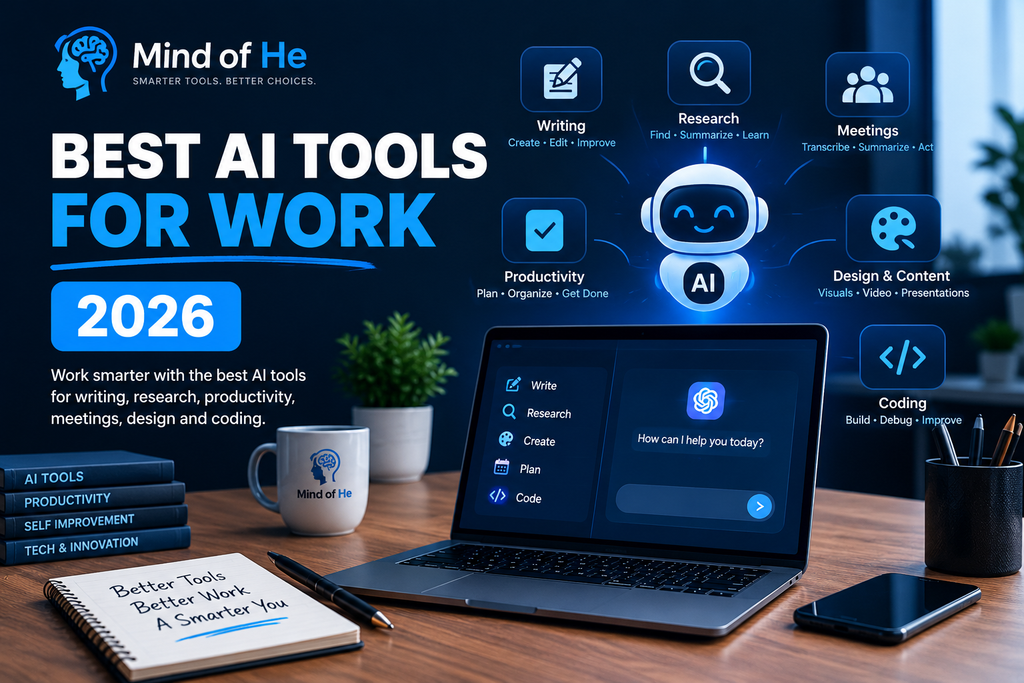
Artificial intelligence has quickly become one of the most useful technologies for modern work. Whether you are writing emails, researching information, creating presentations, analyzing documents, managing projects or producing content, the right AI tool can save hours of repetitive work.
But there are now thousands of AI tools available, and choosing the right one can be difficult.
Some tools are designed for writing and communication. Others focus on research, productivity, meetings, coding, design or content creation. The best choice depends on what you actually need to accomplish.
In this guide, we’ll look at some of the most useful AI tools for work in 2026 and explain what each type of tool is best suited for.
Table of Contents
What Are the Best AI Tools for Work in 2026?
The best AI tool isn’t necessarily the one with the most features. A good work-focused AI tool should help you complete tasks faster, improve the quality of your work or reduce repetitive activities.
Here are some of the main categories worth considering:
- AI assistants for everyday questions, brainstorming and writing
- AI writing tools for emails, documents and marketing content
- AI research tools for finding and organizing information
- AI productivity tools for planning and managing tasks
- AI meeting tools for notes, transcripts and summaries
- AI design and content tools for images, video and presentations
- AI coding tools for developers and technical users
The right combination of tools can become a powerful part of your everyday workflow.
Quick Comparison
| Tool | Best For | Free Option | Main Strength |
|---|---|---|---|
| ChatGPT | General work | Yes | Versatile AI assistant |
| Google Gemini | Google Workspace users | Yes | Google ecosystem |
| Microsoft Copilot | Microsoft 365 users | Yes | Office integration |
| Claude | Writing & analysis | Yes | Long-form reasoning |
| Grammarly | Writing | Yes | Writing improvement |
| Perplexity | Research | Yes | Web-based research |
| Notion AI | Productivity | Limited | Notes & knowledge management |
| Canva | Creative work | Yes | AI-powered design |
Why Use AI Tools for Work?
The biggest advantage of AI is not simply automation. It is the ability to reduce the amount of time spent on repetitive tasks.
For example, an AI assistant can help you create a first draft of an email instead of starting from a blank page. A research tool can summarize large amounts of information. A meeting assistant can turn a conversation into organized notes and action items.
This allows you to spend more time on decision-making, creativity and higher-value work.
However, AI tools should be treated as assistants rather than replacements for human judgment. AI-generated information can contain mistakes, outdated information or missing context. Important information should always be reviewed before it is used.
What We Look For in a Good AI Work Tool
When evaluating AI tools, we consider several practical factors.
Ease of Use
A useful tool should be easy to understand and should not require a complicated setup for everyday tasks.
Features
The tool should provide features that solve real problems rather than simply offering a long list of AI functions.
Quality
The output should be useful enough to reduce editing and manual work.
Integration
Tools that work with services you already use can fit more naturally into an existing workflow.
Value
A powerful tool isn’t necessarily a good purchase if most of its features aren’t useful to you. Pricing and usage limits should be considered alongside the features.
Privacy
Work-related information can sometimes be sensitive. Before uploading documents or confidential information, check how the service handles your data and what privacy controls are available.
The sections below explore different types of AI tools and the situations where they can be most useful.
Best AI Assistants for Everyday Work
AI assistants have become some of the most versatile tools for modern professionals. They can help with brainstorming, writing, research, summarizing information, planning tasks and solving everyday problems.
The best assistant depends on the type of work you do and the other tools you already use.
ChatGPT
ChatGPT is one of the most versatile AI assistants for everyday work. It can help with brainstorming, drafting emails, summarizing information, creating outlines, analyzing documents, explaining complicated topics and generating ideas.
It can also be useful for repetitive tasks such as creating templates, rewriting content and preparing first drafts.
Best for: General-purpose AI assistance, writing, brainstorming and research.
Google Gemini
Google Gemini is particularly useful for people who already use Google’s ecosystem of services. It can assist with writing, research, brainstorming and other everyday tasks.
Its integration with Google’s broader ecosystem can make it convenient for users who already rely heavily on Google services.
Best for: Google users, research and everyday productivity.
Microsoft Copilot
Microsoft Copilot is designed around Microsoft’s productivity ecosystem. It can be useful for people who work extensively with Microsoft products and want AI assistance integrated into their workflow.
For business users, integration with familiar productivity software can be a major advantage.
Best for: Microsoft 365 users and workplace productivity.
Claude
Claude is another popular AI assistant that is particularly useful for writing, analysis and working with longer pieces of information.
Its ability to work with substantial amounts of text makes it useful for tasks such as document analysis, summarization and drafting.
Best for: Writing, document analysis and detailed reasoning.
How to Choose an AI Assistant
Choosing an AI assistant shouldn’t be based only on which service is most popular.
Consider what you actually need from the tool.
If you primarily want help with writing and brainstorming, a general-purpose assistant may be enough. If your work depends heavily on Google or Microsoft applications, an assistant integrated into that ecosystem may be more convenient.
Also consider pricing, usage limits, available integrations and privacy policies before using an AI service for sensitive work information.
Our Recommendation
For most people, starting with one general-purpose AI assistant is better than subscribing to several services immediately.
Learn how to use one tool effectively first. Once you identify tasks that it cannot handle well, you can add specialized AI tools to fill those gaps.
This approach can save money while keeping your workflow simple.
Best AI Writing Tools for Work
Writing is one of the areas where AI can provide an immediate productivity boost. Whether you are writing emails, reports, blog posts, product descriptions or marketing content, AI writing tools can help you create a first draft faster.
The important thing is to use AI as a writing assistant rather than simply copying its output. Reviewing facts, improving the tone and adding your own expertise can make the final result much stronger.
ChatGPT
ChatGPT can help with almost every stage of the writing process, from brainstorming ideas to creating outlines and improving a finished draft.
It can rewrite content in different tones, simplify complicated explanations, summarize documents and help create professional emails.
Best for: General writing, brainstorming, rewriting and content creation.
Grammarly
Grammarly focuses heavily on improving written communication. It can help identify grammar problems, improve clarity and adjust the tone of your writing.
It can be particularly useful for professionals who write emails, reports and other business communications regularly.
Best for: Grammar, clarity and professional communication.
Jasper
Jasper is designed with content marketing and business writing in mind. It can help marketers and content teams create different types of marketing material and maintain consistent messaging.
It is more specialized than a general-purpose AI assistant and may be more useful for people producing content regularly.
Best for: Marketing teams and business content.
Copy.ai
Copy.ai focuses on marketing and sales-related content. It can help generate ideas and drafts for content such as marketing copy, sales messages and other business communications.
Best for: Marketing and sales content.
What Makes a Good AI Writing Tool?
Before choosing an AI writing tool, consider the type of content you create most often.
If you mainly need help with emails and everyday communication, a general AI assistant or grammar-focused tool may be enough.
If you run a website, blog or marketing business, specialized content tools may provide additional features that make repetitive content tasks easier.
Accuracy Matters
AI-generated text should always be reviewed before publication.
AI can produce convincing-sounding statements that are inaccurate or incomplete. This is especially important when writing about technology specifications, prices, product features or other information that can change over time.
Don’t Lose Your Own Voice
Another important consideration is originality.
Instead of publishing AI-generated content without editing it, use AI to speed up your workflow while adding your own experience, opinions and examples.
This makes the final content more useful to readers and less generic.
Our Recommendation
For most individual users, a general-purpose AI assistant is a good starting point because it can handle many different writing tasks from one interface.
Dedicated writing and marketing tools become more attractive when you regularly produce large amounts of professional or commercial content.
The best solution is therefore not necessarily the tool with the longest feature list. It is the one that fits naturally into your existing workflow.
Best AI Research Tools for Work
Research can take a significant amount of time, especially when you need to compare information from multiple sources. AI research tools can make this process faster by helping you discover information, summarize documents and organize ideas.
However, AI should not replace checking original sources. For important decisions, always verify important claims against reliable sources.
Perplexity
Perplexity combines AI-generated answers with web-based research and source references. It can be useful when you want to explore a topic quickly while also being able to investigate the sources behind the answer.
Instead of opening many search results individually, you can use it to get an initial overview and then examine the referenced sources.
Best for: Web research, quick explanations and finding sources.
NotebookLM
NotebookLM is particularly useful when you already have documents that you want to understand.
You can provide supported source material and use AI to summarize, explain and explore the information contained in those sources.
This can be useful for reports, research material, manuals and other long documents.
Best for: Research based on your own documents.
ChatGPT
ChatGPT can also be useful for research when you need help understanding information, comparing concepts, organizing notes or developing questions for further investigation.
Its biggest advantage is flexibility because the same tool can also help with writing and analysis after the research stage.
Best for: Research, analysis, brainstorming and organizing information.
How AI Research Tools Can Save Time
One of the biggest benefits of AI research is reducing the time spent on the initial stages of investigation.
For example, instead of starting with dozens of open browser tabs, you can first use an AI research tool to understand the major aspects of a topic.
You can then identify the most useful sources and investigate those sources directly.
This creates a workflow where AI helps with discovery and organization, while you remain responsible for verifying the information.
Always Check Important Information
AI-generated research can sometimes contain errors, outdated information or incorrect interpretations.
This is especially important when researching:
- Financial information
- Medical information
- Legal topics
- Product specifications
- Pricing
- Software features
- Current events
For these subjects, use AI as a research assistant rather than treating its response as the final authority.
Our Recommendation
For quick web research, Perplexity is worth considering because it focuses strongly on research and source discovery.
If you frequently work with your own documents, NotebookLM can be especially useful.
For users who want one flexible tool that can handle research alongside writing, brainstorming and analysis, ChatGPT is a strong all-purpose option.
The best approach is to combine AI research with your own judgment and source verification.
Best AI Productivity Tools for Work
AI productivity tools can help turn a busy workday into a more organized workflow. Instead of manually creating every task, organizing notes or deciding what to work on next, AI can assist with planning and prioritization.
These tools are especially useful for people managing multiple projects, deadlines and recurring tasks.
Notion AI
Notion combines notes, databases, project management and AI features in one workspace.
Its AI capabilities can help summarize information, generate content, organize notes and work with information stored inside a Notion workspace.
For users who already use Notion for project management, having AI capabilities in the same workspace can make the workflow more convenient.
Best for: Notes, project organization and all-in-one workspaces.
ClickUp
ClickUp is a project management platform with AI features designed to help teams organize projects and complete work more efficiently.
AI can assist with tasks such as writing, summarizing information and working with project-related content.
For teams that need task management alongside AI capabilities, ClickUp can be an attractive option.
Best for: Project management and team collaboration.
Motion
Motion focuses heavily on scheduling and task management. It can help organize tasks around your calendar and create a more structured daily schedule.
This approach can be useful for people who struggle with deciding when to work on competing tasks.
Best for: Time management, scheduling and task planning.
Todoist
Todoist is primarily a task-management application, but its productivity features can help users organize projects, deadlines and recurring tasks.
It may be a better choice for people who want a simpler task-management experience rather than a large all-in-one workspace.
Best for: Simple task management and personal productivity.
AI Productivity vs Traditional Productivity Tools
AI productivity does not necessarily mean replacing your existing task manager.
In many cases, the most effective approach is to use AI alongside your existing workflow.
For example, you might use an AI assistant to break a large project into smaller tasks and then manage those tasks inside Todoist, ClickUp or another project-management application.
This gives you the benefits of AI while keeping your actual workflow organized in a dedicated system.
Don’t Automate Everything
Automation can save time, but too much automation can make a workflow unnecessarily complicated.
Before adding an AI automation, ask whether the task happens often enough to justify setting it up.
Simple workflows that you actually use are generally more valuable than complicated systems that require constant maintenance.
Our Recommendation
If you want an all-in-one workspace, Notion is worth considering.
For teams managing larger projects, ClickUp can provide a more structured project-management environment.
For people primarily interested in scheduling and time management, Motion offers a different approach.
And if you simply need a straightforward task manager, Todoist may be enough.
The best productivity system is the one you can maintain consistently. AI should make that system easier rather than adding unnecessary complexity.
Best AI Meeting Tools for Work
Meetings can create a surprising amount of administrative work. Taking notes, remembering decisions, creating action items and writing follow-up messages can all take time away from more important tasks.
AI meeting tools can help by recording or transcribing meetings, summarizing discussions and organizing important points.
Otter.ai
Otter.ai is designed around meeting transcription and notes. It can help turn conversations into searchable text and make it easier to review what was discussed.
This can be useful when you need to remember decisions, review a meeting later or share important points with someone who could not attend.
Best for: Meeting transcription, notes and summaries.
Fireflies.ai
Fireflies.ai focuses on capturing and organizing conversations. It can help teams create meeting summaries, identify important discussion points and keep a record of conversations.
For teams that have frequent meetings, having searchable meeting information can make follow-up easier.
Best for: Meeting notes, conversation records and team collaboration.
Fathom
Fathom is focused on helping users capture and summarize online meetings. Instead of trying to write everything down manually, users can focus more on the actual conversation.
This can be particularly useful for sales calls, client meetings and team discussions.
Best for: Meeting summaries and call notes.
When Should You Use an AI Meeting Tool?
An AI meeting assistant can be particularly useful if you:
- Attend several meetings every week
- Frequently need to create meeting notes
- Work with clients or customers
- Need to track action items
- Regularly share meeting summaries with your team
However, always make sure participants are aware of recording or transcription where required and follow the relevant privacy rules.
Our Recommendation
If meetings are a major part of your workday, an AI meeting assistant can be one of the easiest ways to reduce repetitive administrative work.
Best AI Creative Tools for Work
AI is also changing how people create images, videos, presentations and other visual content.
These tools can be useful for marketers, creators, small businesses and professionals who need visual content but do not have a dedicated design team.
Best AI Tools for YouTubers in 2026
Canva
Canva combines graphic design tools with AI-powered features. It can be useful for creating presentations, social media graphics, marketing materials and other visual content.
Its main advantage is accessibility. You do not need advanced design experience to create professional-looking graphics.
Best for: Presentations, graphics, social media and everyday visual content.
Adobe Firefly
Adobe Firefly provides generative AI features for creating and editing visual content.
It can be useful for people who already work with Adobe’s creative ecosystem and want to incorporate AI into their design workflow.
Best for: AI-assisted image creation and creative workflows.
Runway
Runway focuses heavily on AI-powered video creation and editing.
It can be useful for creators, marketers and businesses experimenting with AI-generated video and visual effects.
Best for: AI video generation and creative video production.
Gamma
Gamma can help turn ideas and written information into presentations and other visual formats.
For professionals who frequently create presentations, AI-assisted generation can reduce the time required to build a first version.
Best for: AI-assisted presentations and visual documents.
How to Use AI Creative Tools Effectively
The best results usually come from treating AI as a creative assistant rather than expecting it to produce a finished result without review.
A useful workflow is:
- Start with your idea.
- Use AI to create a first version.
- Review the result.
- Add your own information and branding.
- Correct mistakes.
- Finalize the content yourself.
This approach gives you the speed of AI while maintaining control over the final result.
Our Recommendation
For everyday business graphics and presentations, Canva is a practical starting point. For more advanced creative work, specialized tools such as Adobe Firefly and Runway may be worth exploring.
Best AI Coding Tools for Developers
AI coding tools can help developers write code, understand existing projects, find errors and complete repetitive programming tasks.
They can also be useful for people who are learning to code because they can explain programming concepts and provide examples.
GitHub Copilot
GitHub Copilot is designed to assist developers while they write code. It can provide suggestions, help explain code and assist with common programming tasks.
Best for: Code assistance and developer productivity.
Cursor
Cursor is an AI-focused code editor designed to help developers work with code using natural-language instructions.
It can be useful when you want AI assistance directly inside the development environment.
Best for: AI-assisted coding and working with existing codebases.
ChatGPT
ChatGPT can also be useful for programming tasks such as explaining code, debugging problems, creating examples and helping plan an implementation.
Its flexibility makes it useful beyond coding because the same tool can also assist with documentation, research and writing.
Best for: Coding help, debugging, explanations and development planning.
Don’t Blindly Trust AI-Generated Code
AI-generated code should always be reviewed and tested.
A useful coding workflow is:
- Ask AI to explain the problem.
- Generate or modify the code.
- Review the changes.
- Test the code.
- Check for security and performance problems.
- Make the final decision yourself.
AI can speed up development, but developers remain responsible for the software they deploy.
Our Recommendation
For developers who spend significant time coding, an AI coding assistant can reduce repetitive work and make it easier to understand unfamiliar code.
For occasional coding tasks, a general-purpose AI assistant may be enough.
How to Build Your AI Work Stack
You do not need ten different AI subscriptions to benefit from artificial intelligence.
In fact, using too many tools can make your workflow more complicated.
A simple AI work stack might look like this:
General AI Assistant
Use one general-purpose assistant for brainstorming, writing, analysis and everyday questions.
Research Tool
Add a research-focused tool if you regularly investigate topics or need help discovering sources.
Productivity Tool
Use a dedicated task manager or workspace if you manage projects, deadlines or recurring work.
Meeting Tool
Add an AI meeting assistant if meetings take up a significant part of your week.
Creative Tool
Use an AI design or video tool if you regularly create visual content.
Coding Tool
Developers can add an AI coding assistant when programming is an important part of their work.
The goal is not to collect as many AI tools as possible.
The goal is to create a small collection of tools that solve the problems you actually have.
How to Choose the Best AI Tools for Your Work
There is no single AI tool that is perfect for everyone.
The best choice depends on your role, workflow and budget.
For General Office Work
Start with a general-purpose AI assistant.
Use it for writing, brainstorming, summarizing, research and everyday problem solving.
For Writers
Consider a general AI assistant combined with a writing or grammar-focused tool.
This can help with both content creation and final editing.
For Researchers
A research-focused AI tool can help with discovery and source organization, while a general AI assistant can help analyze and organize what you find.
For Project Managers
A dedicated productivity or project-management platform may be more useful than relying entirely on a general AI assistant.
For Content Creators
Combine a general AI assistant with creative tools for graphics, video, thumbnails and audio.
For Developers
An AI coding assistant can be useful alongside your normal development environment.
For Small Businesses
Start with the tasks that consume the most repetitive time.
For example, you might begin with AI for emails, customer communication, research or content creation before adding more specialized tools.
Are AI Tools for Work Worth Paying For?
Not every AI tool needs to be paid.
Many services provide free plans that are sufficient for occasional use.
A paid subscription becomes more attractive when the tool:
- Saves significant time every week
- Replaces repetitive manual work
- Improves the quality of your output
- Provides features you actually use
- Fits naturally into your existing workflow
Before paying for another subscription, ask yourself:
How often will I use this tool?
How much time will it save me?
Does it solve a problem I actually have?
Could another tool I already use do the same job?
A tool that saves several hours every month may provide much more value than a tool with dozens of features that you rarely use.
Common Mistakes When Using AI at Work
Using Too Many Tools
Having multiple AI subscriptions does not automatically create a better workflow.
Start with one or two tools and expand only when you identify a genuine need.
Publishing AI Output Without Reviewing It
AI-generated information can contain mistakes or missing context.
Always review important information before using or publishing it.
Giving AI Sensitive Information Without Checking Privacy
Before uploading confidential documents or sensitive business information, understand how the service handles your data.
Automating Tasks That Don’t Need Automation
Not every repetitive task needs an AI workflow.
Sometimes a simple template or traditional productivity method is more reliable.
Losing Your Own Expertise
AI should support your knowledge rather than replace it.
Your experience, judgment and understanding of your audience remain important.
Frequently Asked Questions
What is the best AI tool for work in 2026?
There is no single best AI tool for every type of work. General-purpose assistants are useful for writing, brainstorming and analysis, while specialized tools can be better for research, meetings, project management, design or coding.
What is the best free AI tool for work?
A general-purpose AI assistant can be a good starting point because it can handle many different tasks from one interface. Free plans and available features can change, so check the current offering before choosing a tool.
Can AI replace traditional productivity tools?
Not necessarily. AI often works best alongside traditional productivity tools. For example, you can use AI to break a project into tasks and then manage those tasks in a dedicated project-management application.
Should I pay for multiple AI tools?
Usually, you should start with one tool and add others only when they solve a specific problem that your existing tools cannot handle well.
Are AI tools accurate?
AI tools can produce useful results, but they can also make mistakes or provide incomplete information. Important information should always be verified.
Are AI tools safe for business information?
It depends on the service, account type and privacy settings. Before uploading confidential information, review the provider’s privacy policies, data controls and business terms.
How many AI tools do I actually need?
Most people do not need a large collection of AI tools. A simple combination of one general AI assistant plus a few specialized tools for your most important tasks is often enough.
Final Verdict: The Best AI Tools for Work
The best AI work setup is not necessarily the one with the most tools.
A general-purpose AI assistant can handle writing, brainstorming, analysis and many everyday tasks. Research tools can speed up information discovery, productivity platforms can organize projects, meeting assistants can reduce note-taking and creative tools can make visual content easier to produce.
The right combination depends on your work.
If you are just starting with AI, begin with one tool that solves an important problem in your daily workflow. Learn how to use it effectively before adding more.
Then expand your AI toolkit only when another tool can provide clear additional value.
The goal is simple:
Use AI to spend less time on repetitive work and more time on work that actually matters.