Best AI Tools for Small Business in 2026: 15 Tools to Save Time and Money
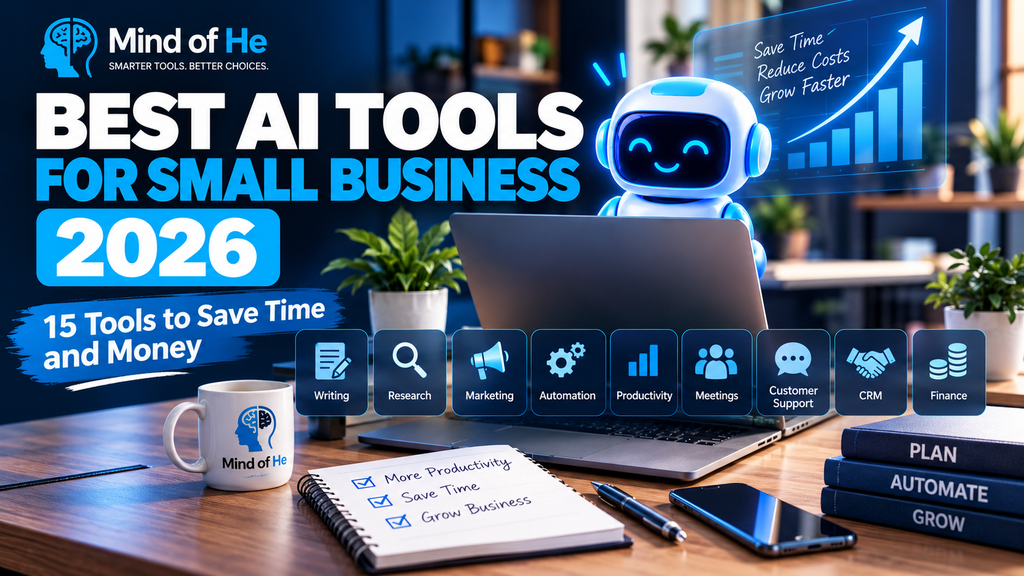
Table of Contents
Running a small business means doing a lot with limited time and resources.
You may be responsible for marketing, customer support, writing, research, meetings, sales, project management, social media, and even accounting.
That is where AI tools can help.
The best AI tools for small business can reduce repetitive work, help you create content faster, organize information, automate workflows, improve customer communication, and make everyday business tasks easier.
But you do not need dozens of AI subscriptions.
The better approach is to identify the tasks that consume the most time and choose tools that solve those specific problems.
In this guide, we compare 15 of the best AI tools for small business in 2026, covering AI assistants, writing, research, design, productivity, automation, meetings, customer support, CRM, and finance.
Quick Comparison: Best AI Tools for Small Business
| Tool | Best For | Category |
|---|---|---|
| ChatGPT | Overall AI assistance | AI Assistant |
| Claude | Writing and long documents | AI Assistant |
| Google Gemini | Google Workspace users | AI Assistant |
| Microsoft 365 Copilot | Microsoft users | AI Assistant |
| Canva | Marketing design | Design |
| Grammarly | Business writing | Writing |
| Perplexity | Research | Research |
| Zapier | Workflow automation | Automation |
| Make | Advanced automation | Automation |
| Notion AI | Knowledge management | Productivity |
| ClickUp | Project management | Productivity |
| Otter.ai | Meeting notes | Meetings |
| Tidio | Customer support | Customer Service |
| HubSpot | CRM and marketing | Sales & Marketing |
| QuickBooks | Accounting and bookkeeping | Finance |
How We Chose the Best AI Tools for Small Business
We focused on tools that can solve practical business problems rather than simply offering impressive AI features.
Our main criteria include:
- Ease of use
- Time savings
- Quality of AI features
- Integrations
- Scalability
- Business value
- Reliability
- Overall usefulness for small teams
AI software changes quickly, so pricing, features, and plan names can change. Always check the provider’s current pricing and feature pages before purchasing.
1. ChatGPT — Best Overall AI Tool for Small Business
Best for: Writing, research, brainstorming, analysis, customer communication, planning, and everyday business tasks.
ChatGPT is one of the most versatile AI tools a small business can use.
Instead of being limited to one specific task, it can assist with many different parts of running a business.
You can use it to draft emails, create marketing ideas, summarize documents, analyze information, brainstorm products, write social media content, create business plans, generate ideas, and help with technical tasks.
It can also work with documents and other types of business information, making it useful for both solo entrepreneurs and small teams.
For businesses that want to start with one general-purpose AI assistant, ChatGPT is one of the strongest options.
Best for: Businesses that want one AI tool capable of handling many different tasks.
You can also see our guide to the [best AI tools for work in 2026
2. Claude — Best for Writing and Long Documents
Best for: Long-form writing, document analysis, brainstorming, and detailed business content.
Claude is particularly useful when your business regularly works with lengthy documents or needs help producing polished written content.
It can assist with proposals, reports, policies, research material, business documentation, and other long-form work.
Claude can also be useful for reviewing existing documents and helping organize complicated information into a clearer structure.
For consultants, agencies, writers, and service businesses, this can make Claude particularly valuable.
Best for: Businesses that work heavily with documents and written content.
3. Google Gemini — Best for Google Workspace Users
Best for: Businesses using Gmail, Google Docs, Google Sheets, Google Drive, and other Google services.
For businesses built around Google Workspace, Gemini can fit naturally into an existing workflow.
It can help with writing, summarizing information, brainstorming, research, and working with business content.
The biggest advantage is convenience.
Instead of constantly moving information between unrelated applications, businesses can use AI alongside the tools they already use.
Best for: Small businesses that rely heavily on Google Workspace.
4. Microsoft 365 Copilot — Best for Microsoft Users
Best for: Businesses using Word, Excel, PowerPoint, Outlook, and Microsoft 365.
Microsoft 365 Copilot brings AI assistance into Microsoft’s productivity ecosystem.
It can help with documents, spreadsheets, presentations, emails, and everyday office work.
For a business already invested in Microsoft 365, using AI within the same ecosystem can be more convenient than adding another completely separate productivity platform.
Best for: Small offices and teams that already rely on Microsoft 365.
5. Canva — Best AI Tool for Marketing Design
Best for: Social media graphics, presentations, marketing materials, thumbnails, and visual content.
Not every small business has access to a professional designer.
Canva makes it easier to create professional-looking visual content without advanced design skills.
Its AI-powered features can help with generating designs, editing images, creating content, and speeding up the process of producing marketing materials.
If you create video content, see our guide to the [best AI video generators in 2026
You can use Canva for:
- Social media posts
- Advertisements
- Presentations
- Flyers
- Pinterest graphics
- YouTube thumbnails
- Marketing materials
- Simple videos
For small businesses that need regular visual content, Canva can significantly reduce the time required to create designs.
Best for: Businesses that need marketing graphics without hiring a dedicated designer.
6. Grammarly — Best for Business Writing
Best for: Emails, website copy, documents, proposals, and professional communication.
Small businesses communicate with customers constantly.
Poor grammar or unclear writing can make otherwise good communication look unprofessional.
Grammarly can help improve grammar, clarity, tone, and overall writing quality.
It can be useful for:
- Customer emails
- Business proposals
- Website content
- Marketing copy
- Internal communication
- Social media posts
For businesses where employees regularly write customer-facing content, Grammarly can become a useful quality-control layer.
Best for: Businesses that want more polished and consistent written communication.
7. Perplexity — Best for Business Research
Best for: Research, finding information, comparing ideas, and exploring unfamiliar topics.
Research can consume a significant amount of time for small-business owners.
Perplexity is designed around AI-powered search and research, making it useful when you need to investigate a topic and explore supporting sources.
It can help with:
- Competitor research
- Market research
- Product research
- Content research
- Industry research
- Exploring unfamiliar topics
However, important business decisions should not rely on AI research alone.
Always verify important facts, numbers, regulations, pricing, legal information, and financial information using authoritative sources.
Best for: Entrepreneurs, marketers, writers, consultants, and researchers.
8. Zapier — Best for AI Automation
Best for: Connecting different business applications and automating repetitive workflows.
Many small businesses lose time copying information from one application to another.
Zapier can connect different services and automate workflows between them.
For example, a business could create workflows that:
- Move information from forms into spreadsheets
- Send notifications when new leads arrive
- Add new customers to a CRM
- Trigger follow-up emails
- Connect marketing applications
- Process repetitive administrative tasks
Automation becomes especially valuable when a business has processes that happen repeatedly.
Best for: Businesses that want to reduce manual data entry and repetitive work.
9. Make — Best for Advanced Automation
Best for: Complex workflows and businesses that want more visual control over automation.
Make is another powerful automation platform.
It allows businesses to connect applications and build workflows using a visual approach.
Compared with simple automation, Make can be useful when workflows involve multiple steps, conditions, and data transformations.
For example, a lead could enter through a form, be added to a CRM, trigger a notification, have information processed, and start a follow-up workflow.
Best for: Businesses that have outgrown simple automation and need more control.
10. Notion AI — Best for Business Knowledge Management
Best for: Notes, documentation, internal knowledge, procedures, planning, and team information.
Small businesses often accumulate information across emails, documents, spreadsheets, messaging apps, and individual computers.
Notion can provide a central workspace for organizing business knowledge.
Its AI capabilities can help teams summarize information, improve documents, brainstorm ideas, and find information more efficiently.
It can be particularly useful for storing:
- Standard operating procedures
- Meeting notes
- Project information
- Content plans
- Company documentation
- Internal knowledge
- Business processes
Best for: Businesses that want one organized place for documents and knowledge.
11. ClickUp — Best for AI Project Management
Best for: Projects, tasks, deadlines, team workflows, and business operations.
ClickUp is designed around work and project management.
Its AI features can assist with tasks, documents, summaries, planning, and workflow-related activities.
For a detailed comparison, see our ClickUp vs Notion comparison in 2026
It can be useful for:
- Marketing teams
- Agencies
- Software teams
- Content businesses
- Operations teams
- Companies managing multiple projects
If your biggest problem is keeping track of who needs to do what and when, a project-management platform can be more useful than a general AI chatbot alone.
Best for: Teams managing structured projects and recurring workflows.
12. Otter.ai — Best for Meeting Notes
Best for: Meeting transcription, summaries, and action items.
Meetings can create a surprising amount of administrative work.
AI meeting assistants such as Otter.ai can transcribe conversations and help turn meetings into summaries and actionable information.
This can reduce the need for someone to manually write detailed notes during every meeting.
For sales calls, team meetings, interviews, consultations, and project discussions, automated meeting notes can save considerable time.
Best for: Businesses that have frequent meetings or calls.
Creators can also explore our guide to the best AI tools for YouTubers in 2026
13. Tidio — Best for AI Customer Support
Best for: Website chat, customer questions, and automated support.
Customer support can become difficult as a small business grows.
AI-powered chat tools can answer common questions and help customers find information without requiring a team member to respond to every basic request manually.
Tidio combines live chat and customer-support functionality with AI-powered capabilities.
The key is to use automation for appropriate questions while keeping a clear path to human support for complicated or sensitive issues.
Best for: Small businesses that receive recurring customer questions through their website.
14. HubSpot — Best for CRM and Marketing
Best for: Customer relationship management, sales, marketing, and lead management.
As a business grows, keeping track of leads and customer interactions becomes increasingly important.
HubSpot provides CRM and marketing capabilities, with AI features that can assist with content, customer information, sales workflows, and marketing activities.
A CRM can be especially valuable for businesses that receive leads through:
- Websites
- Advertising
- Social media
- Sales teams
- Lead-generation campaigns
Best for: Businesses that want to organize leads, customers, sales activity, and marketing.
15. QuickBooks — Best for Accounting and Bookkeeping
Best for: Accounting, bookkeeping, invoices, expenses, and financial organization.
Financial administration is one area where accuracy matters more than simply saving time.
QuickBooks is widely used for accounting and bookkeeping, and its AI-powered features can assist with certain financial workflows.
AI can make financial administration more efficient, but business owners should still review important financial information and work with a qualified professional when necessary.
Best for: Small businesses that need organized accounting and financial workflows.
Which AI Tools Should a Small Business Choose?
You probably do not need all 15 tools.
In fact, subscribing to too many AI services can create another problem: higher costs, duplicated features, and more complicated workflows.
Instead, start with the biggest problem in your business.
| If you need… | Start with… |
|---|---|
| General AI help | ChatGPT |
| Long-form writing | Claude |
| Google Workspace assistance | Gemini |
| Microsoft 365 assistance | Microsoft 365 Copilot |
| Marketing graphics | Canva |
| Better business writing | Grammarly |
| Research | Perplexity |
| Simple workflow automation | Zapier |
| Advanced automation | Make |
| Business documentation | Notion AI |
| Project management | ClickUp |
| Meeting notes | Otter.ai |
| Website customer support | Tidio |
| CRM and sales | HubSpot |
| Accounting | QuickBooks |
A Simple AI Stack for a Small Business
If you are just getting started with AI, keep your technology stack simple.
Step 1: Choose One General AI Assistant
Start with ChatGPT, Claude, Gemini, or the AI assistant already included in your existing software ecosystem.
You do not need multiple general-purpose AI subscriptions immediately.
Step 2: Add One Productivity Tool
If your business struggles with projects and tasks, consider ClickUp or Notion.
Choose the platform based on your workflow rather than simply choosing the one with the most features.
Step 3: Automate Repetitive Work
Once you identify repetitive processes, consider Zapier or Make.
Look for tasks that happen repeatedly and follow predictable steps.
Step 4: Add Specialist Tools Only When Needed
For example, add Canva if you create a lot of marketing graphics, Otter.ai if you have frequent meetings, or a customer-support tool if your website receives many repetitive questions.
This approach keeps your technology stack manageable and makes it easier to determine whether each subscription is actually providing value.
Are AI Tools Worth Paying For?
They can be, but the answer depends on how much useful work the tool removes.
Consider a simple example.
If an AI tool saves several hours of repetitive work every month, improves your output, or helps you respond to customers faster, the subscription may provide considerably more value than its cost.
But paying for several AI tools that all perform similar tasks may not make financial sense.
Before upgrading, ask:
- How often will I use this tool?
- What task will it save me from doing manually?
- Does another tool I already pay for do something similar?
- Will it help generate revenue, save time, or reduce costs?
- Can I test it before committing to a long-term subscription?
Common Mistakes Small Businesses Make With AI
Using Too Many Tools
More tools do not automatically mean more productivity.
Start with a small stack and expand only when a real need appears.
Automating Everything
Automation is useful for repetitive tasks, but human review is still important for customer communication, financial information, important business decisions, and sensitive content.
Trusting AI Without Verification
AI can produce incorrect or outdated information.
Always verify important claims, especially financial, legal, medical, regulatory, pricing, and product information.
Ignoring Data Privacy
Before putting confidential business information into an AI service, understand how that service handles data and what privacy and administrative controls are available.
Measuring the Wrong Thing
Do not judge an AI tool only by how impressive its output looks.
Measure whether it actually saves time, improves quality, increases productivity, reduces costs, or contributes to business results.
Frequently Asked Questions
What is the best AI tool for a small business?
There is no single tool that is best for every business.
ChatGPT is a strong general-purpose option, while specialized tools such as Canva, Zapier, ClickUp, HubSpot, and QuickBooks are better for specific business functions.
What is the best free AI tool for small businesses?
Several major AI platforms offer free access or free tiers.
ChatGPT, Claude, Gemini, Canva, and other services can be tested before committing to paid plans.
Features and usage limits vary, so check the current provider terms.
Can AI replace employees in a small business?
AI is better viewed as a productivity tool than a complete replacement for people.
It can automate repetitive work and help employees complete tasks faster, while human judgment remains important for decisions, relationships, quality control, and complex situations.
How many AI tools does a small business need?
Most small businesses should start with a small number of tools.
One general AI assistant plus one or two specialized tools can be enough to make a meaningful difference.
Are AI tools expensive for small businesses?
Costs vary widely.
Many services provide free tiers or trials, while advanced business plans can cost more.
The important question is whether the productivity or revenue benefit justifies the cost.
What should I automate first?
Start with repetitive tasks that happen frequently and have predictable outcomes.
Examples include moving information between applications, meeting-note preparation, routine customer questions, reporting, and certain marketing workflows.
Final Verdict
The best AI tools for small business are not necessarily the tools with the most features.
They are the tools that solve real problems.
For general AI assistance, ChatGPT is a strong starting point.
Claude is useful for writing and long documents, while Gemini and Microsoft 365 Copilot make sense for businesses already committed to their respective ecosystems.
For marketing, Canva can help create visual content.
For research, Perplexity is useful.
For automation, consider Zapier or Make.
For organization and project management, Notion AI and ClickUp are strong options.
Businesses with frequent meetings can consider Otter.ai, while Tidio can help with customer support and HubSpot can organize customer and sales activity.
For accounting workflows, QuickBooks is worth considering.
Most importantly, do not try to adopt all 15 tools at once.
Choose the one problem that is costing your business the most time, find the right tool for that problem, measure the results, and expand your AI stack only when there is a clear reason to do so.
The goal is not to use more AI. The goal is to get more useful work done with less wasted time.