Best AI Writing Tools in 2026: 10 Tools for Better Content
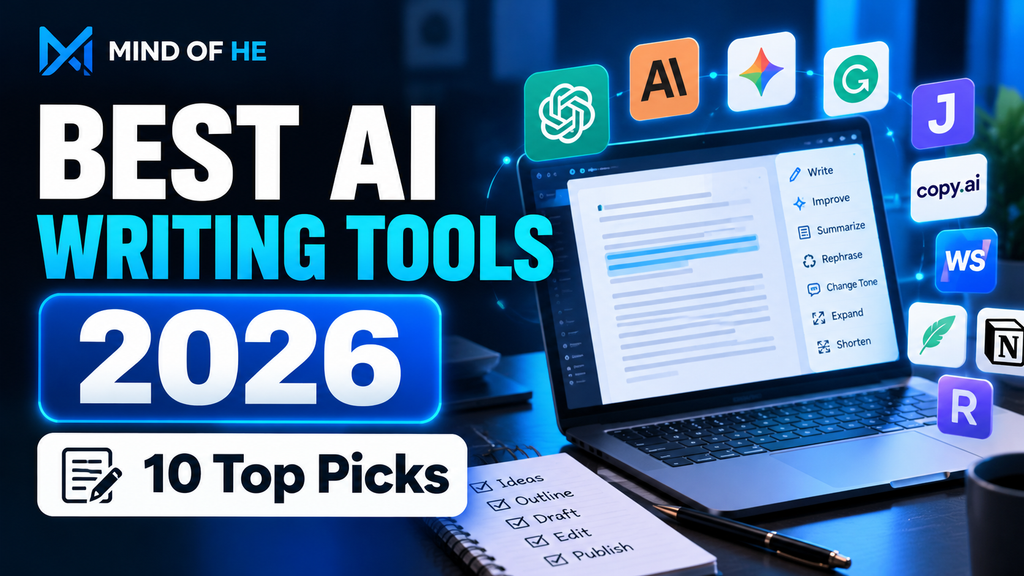
AI writing tools have become much more useful in 2026. They can help you brainstorm ideas, create first drafts, rewrite existing content, improve grammar, research topics, and adapt content for different audiences.
But there is no single AI writing tool that is best for everyone.
Some tools are excellent for general writing and brainstorming. Others are better for editing, marketing, research, SEO, or writing inside an existing workspace.
In this guide, we compare 10 of the best AI writing tools in 2026 and explain what each one does best.
Table of Contents
Quick Comparison: Best AI Writing Tools in 2026
| AI Writing Tool | Best For | Best Use |
|---|---|---|
| ChatGPT | Overall AI writing | Drafting, brainstorming, rewriting and research |
| Claude | Long-form writing | Natural writing, editing and long documents |
| Google Gemini | Google users | Writing inside Google Workspace |
| Grammarly | Editing | Grammar, clarity, tone and rewriting |
| Jasper | Marketing teams | Brand-focused marketing content |
| Copy.ai | Marketing workflows | Sales and go-to-market content |
| Writesonic | SEO content | SEO writing and AI search visibility |
| QuillBot | Paraphrasing | Rewriting, summarizing and editing |
| Notion AI | Workspace writing | Notes, documents and knowledge management |
| Rytr | Budget writing | Affordable short-form content |
The right choice depends more on your specific writing needs than on which tool has the longest feature list.
What Are AI Writing Tools?
AI writing tools use artificial intelligence to help users create or improve written content.
Depending on the tool, you can use AI to:
- Brainstorm content ideas
- Create outlines
- Write first drafts
- Rewrite existing content
- Improve grammar
- Change tone and style
- Summarize documents
- Create marketing copy
- Write emails
- Generate social media content
- Research topics
- Repurpose existing content
AI can help you get from a blank page to a useful draft much faster, but the final content should still be reviewed, fact-checked and edited.
1. ChatGPT — Best Overall AI Writing Tool
ChatGPT is one of the most versatile AI writing tools available.
It can help with everything from brainstorming and outlining to drafting, rewriting, summarizing and editing.
Best for
- Blog posts
- Emails
- Brainstorming
- Content outlines
- Rewriting
- Research
- Social media content
- Business writing
- Creative writing
One of its biggest advantages is flexibility. You can give it a rough idea and ask it to turn that idea into an outline, draft, social post, email or other format.
It is also useful for improving existing writing rather than simply generating new text.
Pros
- Extremely versatile
- Useful for many types of writing
- Strong brainstorming capabilities
- Can work with long instructions and documents
- Useful for rewriting and editing
- Can help with research and content planning
Cons
- Output still needs human review
- Results depend heavily on the quality of your instructions
- Some advanced features depend on the plan you use
Best for
Most people who want one AI tool that can handle many different writing tasks.
2. Claude — Best for Long-Form Writing and Editing
Claude is particularly useful when writing quality, structure and tone are important.
It can be useful for long documents, detailed explanations, rewriting and editing.
Claude is often a strong choice when you already have a draft and want help improving it without completely changing the original voice.
Best for
- Long-form articles
- Reports
- Editing
- Rewriting
- Business documents
- Detailed explanations
- Maintaining writing style
Pros
- Strong long-form writing
- Good at maintaining context
- Useful for detailed editing
- Natural writing style
- Good for large documents
Cons
- Usage limits vary by plan
- Some advanced features require paid access
Best for
Writers who regularly work with long documents or want careful rewriting and editing.
3. Google Gemini — Best for Google Workspace Users
Google Gemini is particularly useful for people who already work heavily with Google’s ecosystem.
Its biggest advantage for many users is integration with products such as Google Docs and Gmail.
Instead of moving between multiple applications, users can incorporate AI assistance into workflows they already use.
Best for
- Google Docs
- Gmail
- Brainstorming
- Business writing
- Summaries
- Research
- Everyday writing
Pros
- Strong Google ecosystem integration
- Useful for everyday writing
- Good for brainstorming and drafting
- Convenient for Google Workspace users
Cons
- Best experience depends on Google’s ecosystem
- Features vary between plans
Best for
People who spend most of their working day inside Google Workspace.
4. Grammarly — Best for Editing and Writing Improvement
Grammarly is different from general AI assistants.
Instead of primarily being a blank-page writing assistant, Grammarly is particularly useful for improving writing that already exists.
It can help identify grammar issues, improve clarity, adjust tone and rewrite sentences.
Best for
- Grammar
- Spelling
- Professional emails
- Editing
- Tone improvement
- Business communication
- Everyday writing
Pros
- Easy to use
- Useful across many applications
- Strong grammar and spelling assistance
- Helpful for improving clarity
- Good for professional communication
Cons
- Not designed to replace a full writing workflow
- Advanced features require paid plans
Best for
Anyone who already writes regularly and wants an AI-powered editing layer.
5. Jasper — Best for Marketing Teams
Jasper is aimed more heavily at marketing and business content than general-purpose AI assistants.
It is designed around marketing workflows, brand consistency and producing content at scale.
This makes it more relevant to marketing teams than someone who simply wants help writing an occasional email.
Best for
- Marketing content
- Brand voice
- Campaigns
- Advertising copy
- Business content
- Marketing teams
Pros
- Marketing-focused workflows
- Brand voice features
- Useful for teams
- Designed for larger content operations
Cons
- More expensive than many general AI assistants
- Can be unnecessary for casual writers
Best for
Marketing teams that need consistent, brand-focused content at scale.
6. Copy.ai — Best for Marketing and Go-To-Market Workflows
Copy.ai has evolved beyond being simply an AI copywriting tool.
It is increasingly focused on sales, marketing and go-to-market workflows.
That makes it more interesting for businesses that want to use AI across repetitive marketing and sales processes.
Best for
- Marketing copy
- Sales content
- Go-to-market workflows
- Short-form business content
- Marketing operations
Pros
- Marketing-focused workflows
- Useful for business teams
- Good for repetitive content tasks
- Can help streamline marketing processes
Cons
- May be more than an individual writer needs
- Better suited to business workflows than casual writing
Best for
Businesses that want AI assistance beyond simple article generation.
7. Writesonic — Best for SEO and AI Search Visibility
Writesonic is particularly interesting for website owners and marketers because its focus extends beyond traditional AI writing.
The platform has increasingly emphasized SEO and visibility in AI-powered search.
That makes it useful for businesses that want to create content while also thinking about how their brand and content appear in modern search experiences.
Best for
- SEO content
- Blog content
- Marketing
- AI search visibility
- Content optimization
Pros
- SEO-oriented features
- Useful for content marketers
- Designed around online visibility
- Can help with content production
Cons
- More specialized than general AI assistants
- Features and pricing can change as the platform evolves
Best for
Website owners and marketers who want AI writing combined with SEO and search visibility tools.
8. QuillBot — Best for Paraphrasing and Rewriting
QuillBot is especially useful when you already have content but want to rewrite, paraphrase or summarize it.
Instead of asking it to create everything from scratch, you can use it as an editing and rewriting assistant.
Best for
- Paraphrasing
- Rewriting
- Summarizing
- Improving sentences
- Academic and professional writing
Pros
- Simple to use
- Strong paraphrasing focus
- Useful for rewriting
- Helpful for summarizing
Cons
- Less versatile than full AI assistants
- Best suited to specific writing tasks
Best for
People who frequently need to rewrite or improve existing text.
9. Notion AI — Best for Writing Inside a Workspace
Instead of moving content into a separate AI application, you can use AI directly within your workspace.
Best for
- Notes
- Documentation
- Knowledge management
- Project documents
- Meeting notes
- Content planning
Pros
- Works inside the Notion workspace
- Useful for organizing information
- Good for notes and documentation
- Combines writing with knowledge management
Cons
- Most useful for existing Notion users
- Not necessarily the best standalone AI writing tool
Best for
People and teams who already use Notion as their main workspace.
10. Rytr — Best Budget AI Writing Tool
Rytr is aimed at users who want straightforward AI writing assistance without paying for a large business platform.
It can be useful for short-form content and everyday writing tasks.
Best for
- Short-form content
- Emails
- Social media
- Product descriptions
- Basic marketing copy
- Budget-conscious users
Pros
- Simple interface
- Affordable positioning
- Useful for short-form writing
- Easier to understand than larger marketing platforms
Cons
- Less powerful than leading general AI assistants
- Better suited to simpler writing tasks
Best for
Users who want affordable AI writing assistance for everyday content.
Which AI Writing Tool Should You Choose?
The best tool depends on what you actually need to write.
Choose ChatGPT if:
You want one flexible tool for brainstorming, drafting, rewriting, research and everyday writing.
Choose Claude if:
You frequently work with long documents and care about natural writing and careful editing.
Choose Gemini if:
You already use Google Docs, Gmail and other Google Workspace products heavily.
Choose Grammarly if:
You mainly want to improve writing you have already created.
Choose Jasper if:
You are part of a marketing team producing large amounts of brand-focused content.
Choose Copy.ai if:
You want AI for marketing, sales and go-to-market workflows.
Choose Writesonic if:
SEO and AI search visibility are important parts of your content strategy.
Choose QuillBot if:
Your primary need is paraphrasing, rewriting or summarizing.
Choose Notion AI if:
Your documents, notes and knowledge base already live in Notion.
Choose Rytr if:
You want a simple and relatively budget-friendly AI writing tool.
AI Writing Tools vs General AI Assistants
One important change in the AI writing market is the growing overlap between dedicated writing tools and general AI assistants.
For example, one general AI assistant may be able to:
- Brainstorm an article
- Create an outline
- Write a draft
- Rewrite paragraphs
- Summarize research
- Create an email
- Generate social media posts
- Change the tone
- Analyze a document
Dedicated tools can still be valuable when they solve a specific problem better.
For example, Grammarly is useful as an editing layer, while Notion AI is useful when your work already lives inside Notion.
The best strategy is therefore not necessarily to subscribe to the largest number of AI tools.
Start with one tool that solves your main problem and add specialized tools only when you actually need them.
How to Use AI Writing Tools Effectively
AI writing tools work best when you provide enough context.
For broader productivity workflows, see our guide to the best AI productivity tools in 2026
Instead of asking:
“Write a blog post about productivity.”
Give the AI more information:
“Write a 1,500-word beginner-friendly guide to AI productivity tools for small business owners. Use a practical tone, include examples, explain the benefits and limitations, and avoid exaggerated claims.”
A better prompt usually produces a better starting point.
1. Give the AI a clear goal
Explain what you are trying to accomplish.
2. Define the audience
Tell the AI who will read the content.
3. Provide the tone
For example:
- Professional
- Friendly
- Conversational
- Technical
- Beginner-friendly
4. Provide important facts
Give the AI information that must be included.
5. Review the output
Never assume that AI-generated information is automatically correct.
Check important facts, product specifications, prices and current information before publishing.
6. Add your own experience
The strongest content should contain human judgment, examples, observations and useful information that isn’t simply copied from an AI-generated draft.
Are AI Writing Tools Worth Paying For?
They can be, but you don’t necessarily need multiple subscriptions.
Start with a free option and determine whether it actually saves you time.
A paid subscription may make sense when:
- You use the tool frequently
- It saves significant time
- You need advanced features
- You need higher usage limits
- You need team collaboration
- The tool solves a specific business problem
For many individual users, one capable general AI assistant plus a specialized editing or workflow tool may be enough.
Common Mistakes When Using AI Writing Tools
Publishing AI output without editing
AI-generated content can contain mistakes, repetition or generic language.
Always review the final result.
Using the same AI tool for everything
Different tools are designed for different jobs.
A tool that is excellent at editing may not be the best choice for marketing automation.
Ignoring facts
AI can produce convincing but incorrect information.
Fact-check important claims before publishing.
Overusing AI-generated content
Using AI to create a first draft is different from allowing AI to make every editorial decision.
Your experience and judgment still matter.
Focusing only on quantity
Publishing more content is not automatically better.
Useful, original and well-researched content is more valuable than publishing large quantities of low-value articles.
Frequently Asked Questions
What is the best AI writing tool in 2026?
For most people, ChatGPT and Claude are strong general-purpose choices. The best option depends on your specific writing needs.
What is the best free AI writing tool?
Several major AI assistants offer free access, including ChatGPT, Claude and Gemini. Free availability and usage limits can change, so check the current plan before subscribing.
Which AI writing tool is best for blogs?
ChatGPT and Claude are strong general-purpose options for blog planning, drafting and editing. Writesonic may be more attractive if SEO and AI search visibility are central to your workflow.
Which AI writing tool is best for grammar?
Grammarly is particularly useful for grammar, clarity, tone and editing existing writing.
Can AI writing tools replace writers?
AI can automate parts of the writing process, but human judgment, expertise, fact-checking, editing and original ideas remain important.
Should I use more than one AI writing tool?
You can, but you don’t need to.
Start with one tool that solves your primary problem. Add another only when it provides a clear advantage.
Is AI-generated content good for SEO?
AI itself is not a guarantee of good search performance. Content should provide genuine value, be accurate, useful and created for people rather than simply being produced to manipulate search rankings.
Final Verdict
The best AI writing tool isn’t necessarily the one with the most features.
For most users, ChatGPT is a strong all-around choice because it can handle brainstorming, drafting, rewriting and many other tasks.
Claude is a strong option for long-form writing and careful editing, while Gemini makes sense for people deeply invested in Google Workspace.
For specialized needs, Grammarly is useful for editing, Jasper and Copy.ai are designed around marketing workflows, Writesonic focuses heavily on SEO and AI search visibility, QuillBot is useful for paraphrasing, Notion AI works well inside the Notion ecosystem, and Rytr offers a simpler budget-oriented option.
The smartest approach is to start with the tool that matches your actual workflow, test it on real writing tasks, and only pay for additional tools when they provide a meaningful benefit.