Best Portable SSDs for Laptop Users in 2026
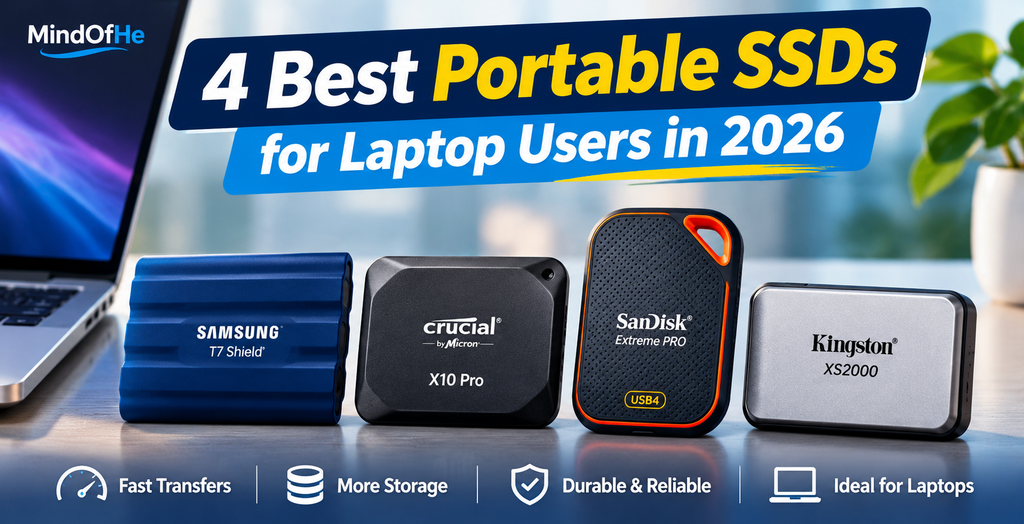
A portable SSD is one of the easiest ways to expand your laptop’s storage without replacing its internal drive. Whether you work with large documents, edit videos, store photos, or simply need a reliable backup location, an external solid-state drive can make file transfers faster and everyday storage more convenient.
However, not every portable SSD offers the same speed, durability, or compatibility. Some are designed for everyday backups, while others target professional creators who regularly transfer large video and project files.
In this guide, we compare four of the best portable SSDs for laptop users in 2026, covering everyday use, high-speed transfers, portability, and demanding creative workflows.
Our selection of the best portable SSDs for laptop users includes options for everyday backups, professional creative work, fast file transfers, and convenient travel storage.
Table of Contents
Best Portable SSDs for Laptop Users in 2026
1. Samsung T7 Shield – Best Overall
The Samsung T7 Shield is a strong all-round choice for laptop owners who need portable storage for everyday work, travel, and backups.
It uses a USB 3.2 Gen 2 connection and offers manufacturer-rated sequential read speeds of up to 1,050 MB/s. Its rugged exterior and IP65-rated dust and water resistance make it suitable for users who regularly carry their storage between home, office, and other locations.
Key features:
- USB 3.2 Gen 2 connectivity
- Sequential read speeds up to 1,050 MB/s
- Rugged exterior with IP65-rated protection
- Available in multiple storage capacities
- Compact design for travel and everyday use
Pros:
- Good balance of speed and portability
- Rugged construction
- Suitable for everyday backups and large file transfers
Cons:
- Slower than newer USB4 and high-speed USB models
- Actual transfer speeds depend on the laptop and cable
Who should buy it?
Choose the Samsung T7 Shield if you want a practical portable SSD for documents, photos, videos, backups, and general laptop storage.
2. Crucial X10 Pro – Best for Fast File Transfers
The Crucial X10 Pro is designed for users who regularly work with large files and want faster external storage.
It supports USB 3.2 Gen 2×2 and advertises sequential read speeds of up to 2,100 MB/s. This makes it an interesting option for photographers, video editors, and professionals who move large projects between computers.
However, the full advertised performance requires a compatible USB 20Gbps connection. A laptop with a slower USB port will limit the drive’s actual transfer speed.
Key features:
- USB 3.2 Gen 2×2 connectivity
- Advertised read speeds up to 2,100 MB/s
- Compact portable design
- Designed for demanding file-transfer workloads
- Multiple capacity options
Pros:
- High advertised transfer performance
- Useful for large project files
- Compact enough for mobile workflows
Cons:
- Full performance requires compatible hardware
- May be unnecessary for basic document storage
Who should buy it?
The Crucial X10 Pro is worth considering if you frequently transfer large video files, creative projects, and other data-heavy workloads.
3. SanDisk Extreme PRO with USB4 – Best for High-Performance Laptops
The SanDisk Extreme PRO with USB4 targets users who want very high external storage performance and own a compatible laptop.
Its USB4 interface supports manufacturer-rated speeds of up to 3,800 MB/s read and 3,700 MB/s write. This makes it a more specialised option for professional creators and users working with large media files.
The important consideration is compatibility. Your laptop must support the appropriate USB4 connection to benefit from its advertised performance. Connecting it to a slower USB port will reduce transfer speeds.
Key features:
- USB4 connectivity
- Advertised read speeds up to 3,800 MB/s
- Advertised write speeds up to 3,700 MB/s
- Designed for demanding storage workflows
- Portable external SSD format
Pros:
- Very high advertised transfer speeds
- Suitable for demanding creative workflows
- Useful for moving large files between compatible systems
Cons:
- Premium performance may come with a higher price
- Requires compatible USB4 hardware
- Excessive for ordinary document backups
Who should buy it?
Consider this SSD if you regularly edit large video files or work with demanding creative projects and have a laptop capable of using USB4 speeds.
4. Kingston XS2000 – Best Compact Portable SSD
The Kingston XS2000 is a compact external SSD designed for users who want high-speed storage in a small package.
It supports USB 3.2 Gen 2×2 and advertises transfer speeds of up to 2,000 MB/s. Its small size makes it convenient for carrying in a laptop bag or pocket.
Kingston also provides a removable protective sleeve. However, its maximum advertised performance requires a compatible 20Gbps USB connection, so check your laptop’s specifications before buying.
Key features:
- USB 3.2 Gen 2×2 interface
- Advertised speeds up to 2,000 MB/s
- Compact and lightweight design
- Removable protective sleeve
- Multiple storage capacities
Pros:
- Very portable
- High advertised transfer speeds
- Convenient for travelling professionals
Cons:
- Full speed requires compatible hardware
- Small size may make it easier to misplace
Who should buy it?
The Kingston XS2000 is a good option for people who prioritise compact storage and frequently carry large files between locations.
Portable SSD Comparison Table
| Portable SSD | Best For | Max. Read Speed | Amazon |
|---|---|---|---|
| Samsung T7 Shield | Everyday use | 1,050 MB/s | Check Price → |
| Crucial X10 Pro | Fast file transfers | 2,100 MB/s | Check Price → |
| SanDisk Extreme PRO USB4 | High-performance laptops | 3,800 MB/s | Check Price → |
| Kingston XS2000 | Compact portability | 2,000 MB/s | Check Price → |
Advertised maximum speeds; actual performance depends on device compatibility and connection. Check the current Amazon listing for exact specifications and availability.
These are manufacturer-advertised maximum speeds, not guaranteed real-world results.
How to Choose the Best Portable SSD for Your Laptop
Before purchasing an external SSD, consider the following factors.
USB4 offers higher bandwidth for compatible storage devices and other peripherals. Before buying a high-speed external SSD, check your laptop’s supported connection standards. You can learn more from the official USB-IF USB4 specifications and overview.
1. Check Your Laptop’s USB Port
This is one of the most important buying considerations. A portable SSD may advertise speeds of 2,000 MB/s or more, but your laptop must support the necessary connection standard to achieve those speeds.
Check whether your laptop supports USB 3.2 Gen 2, USB 3.2 Gen 2×2, USB4, or Thunderbolt.
2. Choose the Right Storage Capacity
Consider how much data you plan to store.
- 500GB: Documents and smaller everyday backups.
- 1TB: General laptop users and photographers.
- 2TB: Video editors and users with large libraries.
- 4TB or more: Professional creators and extensive storage requirements.
Choose capacity based on your actual storage needs and budget.
3. Consider Durability
If you regularly travel with your SSD, consider its physical construction and published protection ratings.
A rugged design can provide additional peace of mind, but water and dust resistance ratings do not mean a drive is indestructible.
4. Look at Warranty and Software Support
Check the manufacturer’s warranty, backup software, encryption options, and compatibility information before purchasing.
Keep another backup of important files. A portable SSD should not be your only copy of valuable data.
When comparing the best portable SSDs for laptop users, remember that advertised transfer speeds depend on your laptop’s USB connection, cable, and the SSD itself.
Portable SSD vs External Hard Drive: Which Should You Choose?
Portable SSDs generally offer faster file access, quicker transfers, and smaller designs than traditional portable hard drives.
External hard drives can still be useful when you need large storage capacity at a lower cost per terabyte.
Choose a portable SSD if speed, portability, and convenience matter most. Choose an external hard drive if your main priority is inexpensive, high-capacity archival storage.
Common Portable SSD Buying Mistakes
- Buying a high-speed SSD without checking laptop compatibility.
- Choosing insufficient storage capacity.
- Assuming advertised speeds are guaranteed.
- Ignoring warranty and protection ratings.
- Keeping important files in only one location.
- Buying based only on brand name instead of actual requirements.
Frequently Asked Questions
Is a portable SSD worth buying for a laptop?
Yes. A portable SSD can expand storage, speed up file transfers, and provide a convenient location for backups and large projects.
Is USB-C the same as USB4?
No. USB-C describes the connector shape, while USB4 is a connection standard with specific capabilities. Not every USB-C port supports USB4 speeds.
Is 1TB enough for a portable SSD?
For many everyday users, 1TB is sufficient for documents, photos, applications, and regular backups. Video editors and professional creators may benefit from 2TB or more.
Can I edit videos directly from a portable SSD?
Yes, provided the SSD and laptop connection offer sufficient performance for your editing workload. Check the software’s requirements and test your workflow before relying on an external drive for professional projects.
Should I buy a 2,000 MB/s SSD for my laptop?
Only if your laptop supports the connection required to achieve those speeds. Otherwise, a less expensive 1,000 MB/s-class drive may be a better purchase.
The best portable SSDs for laptop users should offer the right combination of storage capacity, transfer speed, durability, and compatibility with your computer.
Final Thoughts
The best portable SSD depends on your laptop’s connectivity, storage requirements, and budget.
The Samsung T7 Shield is a practical everyday option, while the Crucial X10 Pro and Kingston XS2000 target compatible high-speed USB systems. The SanDisk Extreme PRO with USB4 is aimed at users with faster USB4 laptops and demanding workloads.
Before purchasing, compare capacity, connection compatibility, protection, and warranty rather than choosing a drive based only on its advertised speed.
Choose the portable SSD that matches your actual workflow, and remember to maintain a separate backup of important files.