Best USB-C Hubs and Docking Stations in 2026.
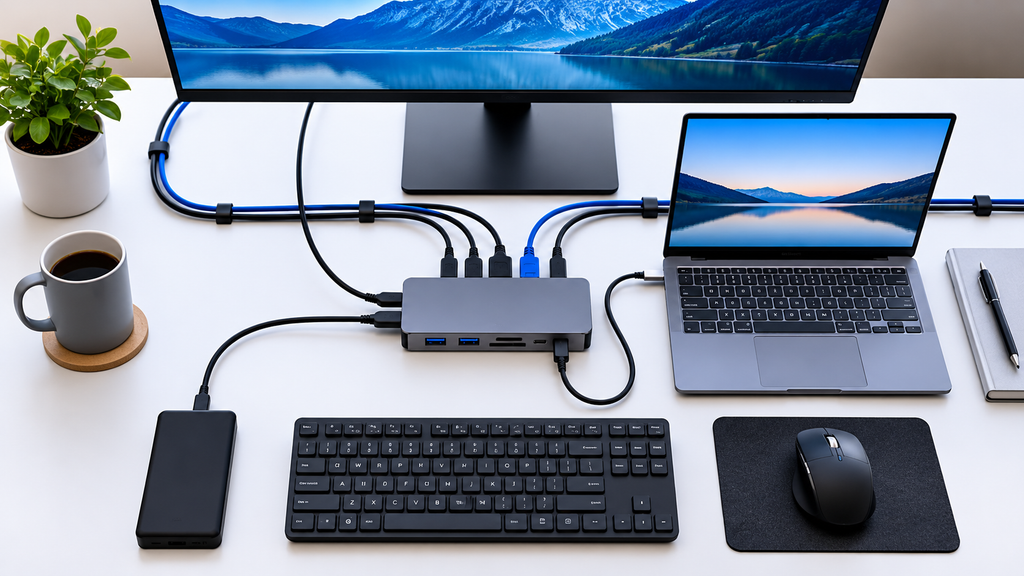
Choosing the best USB-C hubs and docking stations can make your laptop setup more productive and convenient. Whether you need extra USB ports, external monitor support, faster data transfers, or a single connection for your entire workspace, the right hub or docking station can simplify your daily workflow.
That’s where USB-C hubs and docking stations become useful. They expand your laptop’s connectivity and help create a cleaner, more productive workspace.
In this guide, we’ll look at four USB-C hubs and docking stations from Anker, UGREEN, Plugable and CalDigit. We’ll explain what to consider before buying and help you choose the right option for your laptop and working style.
Our selection of the best USB-C hubs and docking stations covers compact travel-friendly hubs and powerful desktop docking solutions for different laptop users.
Affiliate Disclosure: This article contains affiliate links. If you purchase through these links, MindOfHe may earn a commission at no additional cost to you.
Table of Contents
Quick Comparison: USB-C Hubs and Docking Stations
| Product | Best For | Type |
|---|---|---|
| Anker 555 USB-C Hub | Portable everyday connectivity | USB-C Hub |
| UGREEN USB-C Hub | Multiple everyday connections | USB-C Hub |
| Plugable Thunderbolt 4 Dock | MacBook and desktop setups | Thunderbolt Dock |
| CalDigit Thunderbolt Dock | Premium workstation connectivity | Thunderbolt Dock |
Best USB-C Hubs and Docking Stations in 2026
1. Anker 555 USB-C Hub (8-in-1): Best Portable USB-C Hub
The Anker 555 USB-C Hub is designed for laptop users who need more connections without carrying a large desktop docking station.
Its compact design makes it suitable for home offices, remote work, business travel and everyday laptop use.
Key Features
- Eight-in-one connectivity
- HDMI output supporting up to 4K at 60Hz with a compatible host
- USB-A and USB-C data connections
- Gigabit Ethernet
- SD and microSD card readers
- Up to 85W laptop pass-through charging when supplied with a suitable 100W charger
Who Should Buy It?
The Anker 555 is worth considering if you regularly connect USB accessories, external displays, memory cards and wired internet to your laptop.
Its portable design makes it especially useful for people who work from different locations.
Things to Check: The USB-C data port does not provide video output. The laptop must also support the relevant display and charging features. A compatible power adapter is required for pass-through charging.
2. UGREEN USB-C Hub: Best for Everyday Connectivity
UGREEN offers USB-C hubs designed to expand the connectivity of modern laptops. A multiport hub can help connect external displays, USB accessories and other devices through a single laptop connection.
The UGREEN option in this guide is worth comparing if you want an alternative to Anker.
What to Consider
Before buying, check the exact Amazon listing for:
- Number and type of USB ports
- HDMI resolution and refresh-rate support
- Ethernet availability
- SD and microSD card support
- Maximum power-delivery input and laptop output
- Compatibility with your laptop
Who Should Buy It?
Consider this hub if you want a convenient way to connect everyday accessories without purchasing a full desktop docking station.
Make sure the exact model supports the display resolution, charging power and connections you need.
3. Plugable Thunderbolt 4 Dock: Best for a Desktop MacBook Setup
The Plugable Thunderbolt 4 Dock is aimed at laptop users who want a more permanent workstation.
Unlike a basic USB-C hub, a Thunderbolt docking station is designed for higher-bandwidth connections and a broader desktop setup.
The product listing supplied for this guide describes the dock as suitable for compatible M4 and M5 MacBook Air and MacBook Pro models, with up to 100W charging.
What to Consider
- Confirm Thunderbolt compatibility with your laptop.
- Check the supported number of external displays.
- Verify display resolution and refresh-rate limitations.
- Confirm the laptop charging wattage.
- Check the number of USB, Thunderbolt and networking connections.
Who Should Buy It?
This option is worth considering if you regularly connect multiple accessories and external displays to a compatible MacBook.
It can help simplify a workstation by reducing the need to connect individual accessories every time you sit down to work.
4. CalDigit Thunderbolt Dock: Best Premium Workstation Option
CalDigit is known for its Thunderbolt docking products, which are designed for users who need extensive connectivity at a permanent workstation.
A premium dock may be useful for professionals working with external displays, storage devices, wired networking and multiple peripherals.
What to Consider
Before purchasing the CalDigit model linked below, review its exact port configuration, Thunderbolt generation, display support and charging capacity.
Not every Thunderbolt dock supports the same number of monitors or the same display configurations across macOS and Windows.
Who Should Buy It?
Consider a CalDigit dock if you want a premium desktop connectivity solution and have confirmed that its specifications match your laptop.
USB-C Hub vs Thunderbolt Dock: What’s the Difference?
Although USB-C hubs and Thunderbolt docks can look similar, they are designed for different requirements.
USB-C Hubs
USB-C hubs are generally compact and portable. They are useful for adding common connections such as HDMI, USB-A, Ethernet and card readers.
They are suitable for:
- Everyday laptop users
- Students
- Remote workers
- Travellers
- People who need a few extra ports
Thunderbolt Docking Stations
Thunderbolt docks are designed for more demanding desktop setups. Depending on the model and laptop, they can support higher-bandwidth peripherals, multiple displays and more extensive connectivity.
They are suitable for:
- Professionals using external monitors
- Content creators
- Developers
- Users with multiple desktop accessories
- Permanent home office workstations
How to Choose the Right USB-C Hub or Docking Station
1. Check Laptop Compatibility
Start by checking the specifications of your laptop’s USB-C port.
A USB-C connector does not automatically mean that the port supports video output, laptop charging or Thunderbolt functionality.
Check your laptop manufacturer’s specifications before purchasing.
2. Check External Monitor Support
If you plan to connect an external monitor, verify the hub’s HDMI or DisplayPort specifications.
Look for:
- Maximum supported resolution
- Refresh rate
- Number of external displays
- Compatibility with your operating system
For example, 4K at 60Hz requires compatible hardware and the correct connection configuration.
3. Check Power Delivery
Some hubs support pass-through charging, allowing you to charge your laptop while using other connected accessories.
Check both the maximum power input and the actual power delivered to the laptop. These values may differ.
4. Count the Ports You Need
Think about the devices you regularly connect.
You may need:
- USB-A for older accessories
- USB-C for newer devices
- HDMI or DisplayPort for monitors
- Ethernet for wired networking
- SD and microSD readers for photography
- Thunderbolt for high-bandwidth accessories
Choose a product based on your actual requirements rather than simply buying the model with the most ports.
5. Consider Portability
A compact hub is convenient for travel and everyday use.
A larger docking station is generally better suited to a permanent desk setup where you want to connect several devices at once.
When comparing the best USB-C hubs and docking stations, check your laptop’s supported USB-C standards, display output, charging requirements, and the number of ports you actually need.
Common Mistakes to Avoid
- Assuming every USB-C port supports video output.
- Buying a dock without checking laptop compatibility.
- Ignoring the maximum power-delivery output.
- Assuming every dock supports dual 4K displays.
- Purchasing more ports than you actually need.
- Forgetting to check operating-system compatibility.
Which USB-C Hub or Docking Station Should You Choose?
The best choice depends on your laptop, budget and workspace.
- For portable everyday use: Consider the Anker 555 USB-C Hub.
- For everyday multiport connectivity: Compare the UGREEN hub.
- For a compatible MacBook workstation: Consider the Plugable Thunderbolt 4 Dock.
- For a premium desktop setup: Compare the CalDigit Thunderbolt Dock.
Before purchasing, always verify the exact model specifications and compatibility with your laptop.
Frequently Asked Questions
1. Is a USB-C hub the same as a docking station?
No. A USB-C hub usually provides basic additional connections in a compact design. A docking station generally offers more extensive connectivity and may support higher-bandwidth peripherals.
2. Can a USB-C hub connect two monitors?
Some hubs support multiple displays, but this depends on the hub’s specifications, laptop hardware and operating system. Check the exact display configuration before purchasing.
3. Does every USB-C hub charge a laptop?
No. Only hubs with compatible Power Delivery pass-through charging can charge a laptop through the hub. You may also need a separate power adapter.
4. Do Thunderbolt docks work with USB-C laptops?
Some Thunderbolt docks offer backward compatibility with certain USB-C devices, but functionality may be limited. Check the manufacturer’s compatibility information.
5. Is a Thunderbolt dock worth buying?
It can be worthwhile if you regularly use multiple external displays, high-speed storage and several desktop accessories. For basic connectivity, a compact USB-C hub may be sufficient.
Final Thoughts
A good USB-C hub or docking station can make a laptop much more convenient for everyday work.
The Anker 555 is a portable option to consider, while UGREEN offers another hub alternative. For more extensive desktop connectivity, compare the Plugable and CalDigit Thunderbolt docks.
Take time to verify compatibility, display support and charging requirements before purchasing. Choosing the right device can help create a cleaner and more productive workspace.
The best USB-C hubs and docking stations are not necessarily the most expensive models. Choose one that matches your laptop compatibility, workspace, and connectivity requirements.