
How to Choose a Laptop in 2026: Complete Laptop Buying Guide
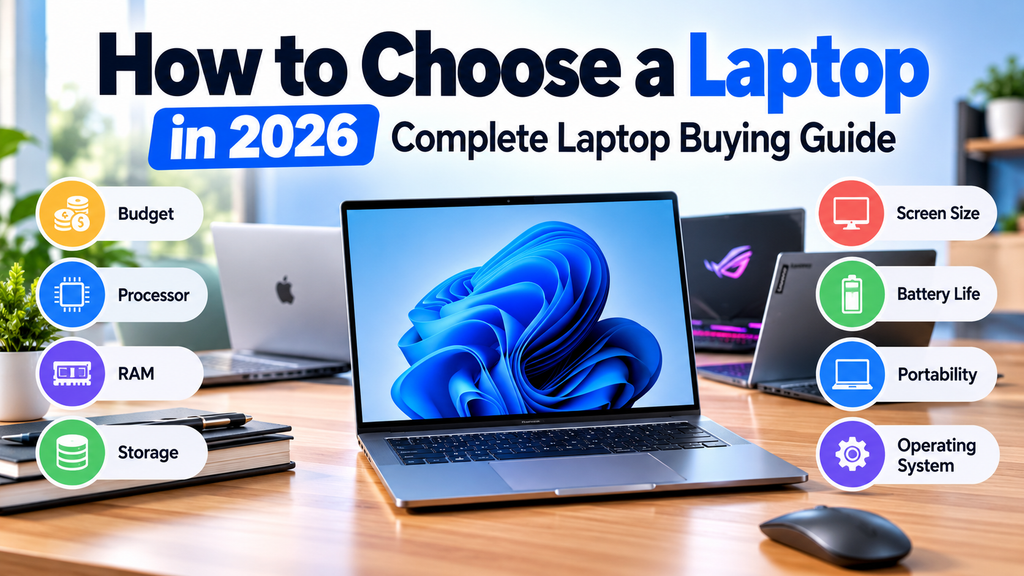
How to choose a laptop depends on your budget, how you plan to use it, and the features you actually need. There are hundreds of models, different processors, RAM configurations, screen sizes, operating systems and price ranges.
Knowing how to choose a laptop starts with understanding what you actually need from your computer.
The best laptop isn’t necessarily the most expensive one. The right choice depends on how you plan to use the laptop, your budget and the features you actually need.
This laptop buying guide explains the most important things to consider before buying a laptop in 2026.
If you don’t want to compare specifications yourself, you can also use our Laptop Finder to answer a few simple questions and get laptop recommendations based on your needs.
Table of Contents
1. Decide Your Budget
Your budget is one of the first things you should determine before looking at laptops.
A higher price doesn’t automatically mean a better laptop for your needs. Spending more only makes sense when the additional performance, display quality, battery life or other features are useful to you.
Budget Laptops
Budget laptops are suitable for basic tasks such as:
- Web browsing
- Watching videos
- Microsoft Office
- Online classes
- Basic documents
- Everyday computing
If you mainly perform these tasks, you don’t necessarily need a premium laptop.
Mid-Range Laptops
Mid-range laptops are a good choice for people who need more performance for:
- Business work
- Programming
- Multitasking
- Photo editing
- More demanding applications
- Productivity
They often provide a good balance between price, performance and portability.
Premium Laptops
Premium laptops are designed for users who want features such as:
- High-end processors
- Better displays
- Premium build quality
- Long battery life
- Powerful graphics
- Lightweight designs
- Advanced connectivity
Before spending more, consider whether you will actually benefit from these features.
2. How to Choose a Laptop for Your Needs
The best laptop for a student may not be the best laptop for a gamer or creative professional.
Start by identifying what you will use the laptop for most often.
Laptop for Students
Students often benefit from a laptop that is:
- Lightweight
- Easy to carry
- Reliable
- Long-lasting on battery
- Comfortable for typing
- Powerful enough for everyday applications
If you regularly carry your laptop between home, college and other locations, portability can be more important than maximum performance.
Laptop for Business and Work
For business users, look for:
- Good keyboard and trackpad
- Reliable performance
- Long battery life
- Good webcam
- Comfortable display
- Portable design
- Strong build quality
If you work with many browser tabs and applications simultaneously, having enough RAM is particularly important.
Laptop for Programming
Programming requirements vary depending on the software and development environment you use.
For general programming, look for:
- A modern processor
- At least 16GB RAM when possible
- Fast SSD storage
- A comfortable keyboard
- Good battery life
- A screen that is comfortable for long sessions
Developers working with virtual machines, containers or demanding development environments may benefit from more memory and processing power.
Laptop for Gaming
Gaming laptops generally require more powerful hardware.
Important components include:
- Powerful CPU
- Dedicated GPU
- Adequate RAM
- Fast SSD
- High-refresh-rate display
- Effective cooling
For gaming, the graphics processor is particularly important because it has a major impact on gaming performance.
Laptop for Creative Work
Video editing, 3D work, graphic design and other creative workloads can require significantly more performance.
Consider:
- Powerful processor
- Dedicated graphics
- More RAM
- Fast storage
- High-quality display
- Good color reproduction
If you work with large video files or high-resolution images, storage capacity can also become important.
3. How Much RAM Do You Need?
RAM affects how many applications and tasks your laptop can comfortably handle at the same time.
For basic everyday computing, a lower amount of RAM may be sufficient.
For multitasking, programming and professional workloads, more RAM can provide a more comfortable experience.
A simple guideline is:
- 8GB: Basic everyday computing
- 16GB: Good choice for most users
- 32GB: Heavy multitasking and demanding workloads
- 64GB or more: Specialized professional workloads
For a new laptop, 16GB is a sensible target for many users if your budget allows it.
However, don’t choose a laptop based on RAM alone. The processor, storage, graphics and overall system design also matter.
4. Choose the Right Processor
The processor is one of the most important components in a laptop.
Modern laptops are available with processors from several families and manufacturers, and the naming can sometimes make comparisons confusing.
Instead of looking only at the processor name, consider the laptop’s overall performance and the type of work you will perform.
For Everyday Use
If you mainly browse the web, stream videos, work with documents and use basic applications, you don’t need a high-end processor.
For Productivity and Programming
A stronger processor can be useful when you frequently multitask, compile code or use demanding applications.
For Gaming and Creative Work
Gaming, video editing, 3D applications and other demanding workloads can benefit from higher-performance processors and dedicated graphics.
The processor should therefore be selected according to your workload rather than simply choosing the highest specification available.
5. How Much Storage Do You Need?
Most modern laptops use SSD storage rather than traditional hard drives.
SSDs provide fast boot times and quick application loading.
A simple starting point:
- 256GB: Basic use with limited local storage
- 512GB: Good choice for many users
- 1TB: Better for large applications, games and media
- 2TB or more: Useful for large professional files and extensive local storage
If you store many photos, videos or games, choosing more storage can save you from constantly managing free space.
Also consider whether the laptop allows storage upgrades. Some thin laptops have limited upgrade options.
6. Choose the Right Screen Size
Screen size affects both productivity and portability.
Small Screens
Smaller laptops are easier to carry and can be useful for students and frequent travelers.
Medium Screens
A medium-sized display provides a good balance between portability and workspace.
Large Screens
Large displays are useful for:
- Video editing
- Spreadsheets
- Programming
- Gaming
- Multitasking
- Creative work
However, larger laptops are usually less convenient to carry.
Think about where you will use the laptop most often before choosing the screen size.
7. Battery Life and Portability
Battery life becomes particularly important if you frequently work away from a power outlet.
Students, travelers and professionals who move between locations may want a lightweight laptop with strong battery performance.
If your laptop will mostly stay on a desk, portability may be less important.
Consider both weight and battery life rather than focusing on only one.
A very lightweight laptop may be excellent for travel, while a heavier laptop may provide better performance or cooling.
8. Windows vs MacBook
The operating system is another important decision.
Windows Laptops
Windows laptops are available across a very wide range of prices and hardware configurations.
They can be suitable for:
- Business
- Students
- Programming
- Gaming
- General computing
- Creative applications
Windows also provides a large selection of laptop manufacturers and designs.
Microsoft’s official Windows 11 information
MacBook
MacBooks are popular with users who value:
- Premium build quality
- Battery efficiency
- Portable designs
- Apple’s ecosystem
- macOS
MacBooks can be particularly attractive if you already use other Apple devices.
The best choice depends on the applications you use and the ecosystem you prefer.
Windows laptops are available across a wide range of prices and hardware configurations, while MacBooks use Apple’s macOS operating system. You can learn more about macOS on Apple’s official website.
9. Gaming and Creative Work
If you are buying a laptop specifically for gaming or demanding creative work, don’t focus only on the CPU.
Graphics performance becomes extremely important.
For gaming, look at the dedicated GPU, display refresh rate, cooling system and overall performance.
For video editing and creative applications, also consider:
- RAM
- GPU performance
- Display quality
- Storage
- Processor performance
- Ports and connectivity
A powerful laptop can be worthwhile if your workload actually requires it.
10. What Laptop Specifications Matter Most?
Laptop specifications can quickly become overwhelming.
Instead of trying to maximize every specification, prioritize the components that matter most for your workload.
For Everyday Users
Prioritize:
- Battery life
- Portability
- Display
- Storage
- Comfortable keyboard
For Students
Prioritize:
- Portability
- Battery life
- Reliability
- Keyboard
- Price
For Business Users
Prioritize:
- Reliability
- Battery life
- Keyboard
- Performance
- Portability
For Programmers
Prioritize:
- Processor
- RAM
- Keyboard
- Display
- Storage
For Gamers
Prioritize:
- GPU
- Processor
- Cooling
- Display refresh rate
- RAM and storage
For Creative Professionals
Prioritize:
- Processor
- GPU
- RAM
- Display quality
- Storage
Use Our Laptop Finder
Still not sure which laptop is right for you?
Our Laptop Finder makes the decision easier.
Instead of comparing dozens of specifications yourself, answer a few simple questions about your:
- Budget
- Main use
- Operating system
- Portability needs
- Battery requirements
- Screen size
- Performance requirements
The tool then matches your requirements with suitable laptop options.
Try the Laptop Finder and discover which laptops best match your needs.
Final Laptop Buying Checklist
Before buying a laptop, ask yourself these questions:
- What is my maximum budget?
- What will I mainly use the laptop for?
- Do I need Windows or macOS?
- How much RAM do I need?
- How much storage do I need?
- Do I need dedicated graphics?
- How important is battery life?
- How often will I carry the laptop?
- What screen size is comfortable for me?
- Do I need specific ports or connectivity?
- Can the laptop handle my workload for several years?
Answering these questions can help you avoid paying for features you don’t need while making sure you don’t compromise on the features that matter.
Frequently Asked Questions
How do I choose the right laptop?
Start by identifying your main use, budget, preferred operating system and portability requirements. Then compare processor performance, RAM, storage, display, battery life and graphics based on your needs.
How much RAM is enough for a laptop?
For many users, 16GB is a good target. Basic users may be comfortable with less, while demanding professional workloads can benefit from 32GB or more.
Is a 512GB SSD enough?
512GB is enough for many everyday users. If you store large games, videos, photos or professional files locally, consider 1TB or more.
Which laptop is best for students?
A good student laptop should generally balance price, portability, battery life and performance. The ideal model depends on the student’s specific workload.
Should I buy a Windows laptop or MacBook?
Both can be excellent choices. Consider the software you use, your preferred ecosystem, hardware requirements and budget before deciding.
How important is battery life?
Battery life is especially important if you frequently work away from a power outlet. If your laptop stays at a desk most of the time, performance or display quality may matter more.
Should I buy a gaming laptop for everyday use?
You can, but a gaming laptop may be heavier and less portable than a standard productivity laptop. If you don’t need gaming performance, a lighter laptop may be a better fit.
Conclusion
Choosing a laptop doesn’t have to be complicated.
The key is to focus on your needs rather than simply buying the laptop with the highest specifications.
Determine your budget, identify your main use, choose the right performance level and consider portability, battery life, display, RAM and storage.
If you’re still unsure how to choose a laptop, use our Laptop Finder to narrow down your options.
One Comment